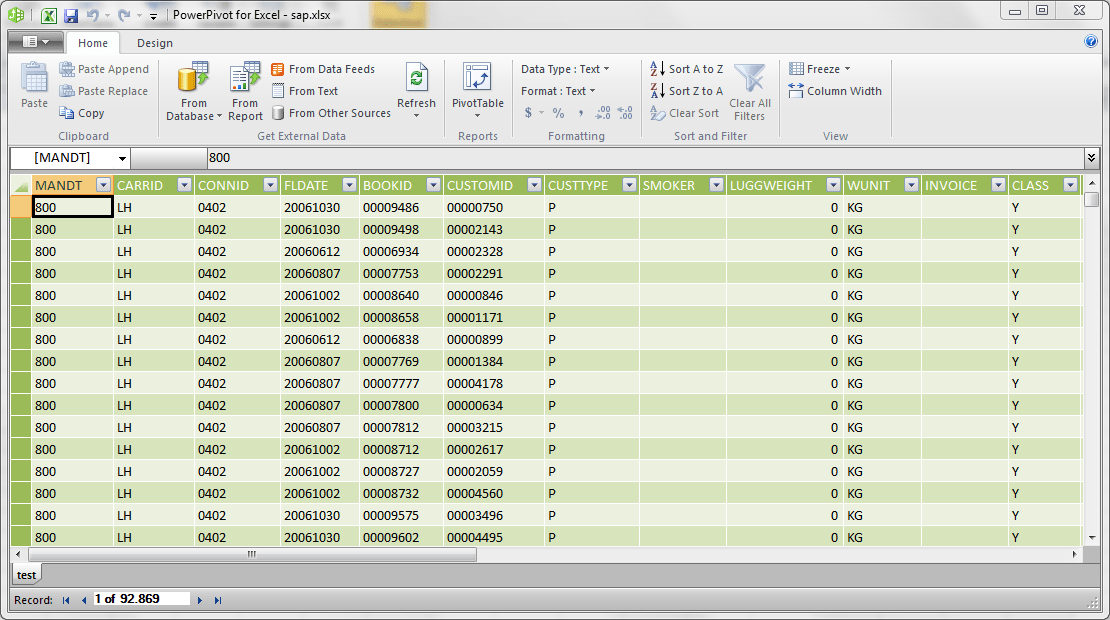
If you're putting the data in Excel's new data model, this is no longer a problem. I regularly have files with tens of millions of rows of data which pivot tables can work against with sub-second aggregations across multiple columns.
Actually much earlier in 2012, when Excel first shipped with xVelocity branded PowerPivot. It supports a new data model that reminds me of Microsoft Access in some ways (drag & drop relationships etc). This is a whole different beast from copy/pasting data into sheets - in fact, the data doesn't show up in sheets by default and you usually have to add other things (like pivot tables) to take advantage of it.
Microsoft is a sleeping giant in BI self-service right now, and the things they've been "quietly" adding (only if you don't follow them) are actually very compelling. I actually run a Windows VM on my MBP just so I can run Power BI.
Is this power bi..? Ah, I think it is. I’ve really tried to get up to speed with it, but it feels so alien to normal excel in many ways. I feel an existential dread when I drop a column in power BI.
But yeah, it’s very powerful. It’s very sql like in the way you have to treat actions and data.
Yes and no. Power BI is a mixed cloud/desktop thing - the desktop GUI for creating reports/charts is actually pretty cool. PowerPivot and Power Query in Excel are add-ons that tack on the same analytical engine that Microsoft purchased to power new features in SQL Server. I believe MS is branding this all now as Power BI, but it's still a little confusing to be honest.
In the Power BI desktop app you can connect to standard RDBMS' like MySQL, Postgres, or SQL Server and basically it works like Tableau. The really interesting part is you can export these data sources and hook them into Excel (local or via the cloud).
> It’s very sql like
It should be, this is essentially using Excel as an GUI on top of technology designed to run an analytics RDBMS. It actually is an entirely separate interface from Excel and feels bolted on after-the-fact.
Here's an example of the PowerPivot Excel add-on screens: