“elevate the command-line user experience on Windows.”
If I were an engineer in Apple's OSX group I would see this as the horde amassing an army on the border. Bit by bit, Microsoft is going down the checklist of why someone would use a Macbook pro rather than a Windows laptop for their daily driver and erasing the advantage (or at least mitigating it to the best of their ability).
This will never convert the die hard OSX fans to use Windows laptops, like the OSX features could never convince die hard Windows users to use Macbook Pros, but the real prize here is the large bulk of users who aren't die hard Apple or Windows fans and just want to get their job done on one laptop reliably.
Apple's latest earnings report re-iterates that they aren't investing in the Macbook Pro or OSX in any meaningful way. Microsoft's success with the Surface Pro series against the Macbook Pro has shown that good electrical engineering can be bought and if the software is good enough, it can remove the last objections to the Windows laptops.
I see Linux as a big loser here too as the opportunity for a Linux desktop, for the bulk of the users, recedes further into the distance with two capable, and supported, offerings from larger players to choose from.
I've got one of everything it seems, and I had a Macbook Pro as my daily driver starting at Google in 2006 through my exit from IBM at 2015. I bought a SurfaceBook when they announced them for the drawing experience and laptop that had more capability than my Macbook Pro. I then tag teamed between them until I got the Surface Pro 4 with the same drawing experience, but lighter than a Macbook Air and with WSL and a third party X server a decent Linux/UNIX like development environment.
I still haven't replaced my Macbook from 2015 with the various things that Apple has thrown out there, the keyboard issue, the track bar issue, the lack of drawing, the lack of any compelling reason to upgrade. I still use it for Xcode for the iPad app I am doing in my spare time but use it less and less.
The new terminal will make it easier to not use the Macbook. If Microsoft starts bundling an Xserver for the occasional windows app it would make it even easier to stay on their platform.
I can't tell if Apple sees this as a threat to their business, or just doesn't care anymore about that part of the business and so they are willing to cede it to Windows as the "portable" development environment supported by an enterprise vendor.
I've been using WSL for a while now (with Docker running through Docker for Windows but accessible through WSL). My whole dev environment is based on running tmux / Vim in it.
I don't want to start any flame wars but I happen to do a lot of pair programming sessions with people (I'm a freelance dev) and a number of people have said they were jealous of my set up and are thinking about a Windows laptop for their next upgrade. Not because my set up is special or super cool, it's just their Mac set up is all sorts of broken and buggy. I can hear legit sadness in their voice.
You don't need MS to bundle an Xserver by the way. Just download VcXsrv for free https://sourceforge.net/projects/vcxsrv/ and be up and running in a few minutes. I use it mainly for flawless zero configuration clipboard sharing between Linux apps running in WSL to work with my Windows clipboard, but graphical apps run ok too (I even tried running i3 through it which was usable but too limiting with multiple monitors).
I guess I just wanted to really say that Linux based / Docker development on Windows is very much possible even today on the stable version of Windows 10, and WSL v2 is just going to make it a lot better than it already is.
I haven't been this excited over a new OS / OS feature since Windows 7 was first released.
Only problem is the June release is for insiders, not stable, and insiders requires sharing A LOT of private info with Microsoft (unacceptable IMO). It might not be until October 2019 or even April 2020 before this hits the stable channel of Windows 10. Doh.
> their Mac set up is all sorts of broken and buggy. I can hear legit sadness in their voice.
I'm normally very happy with the dev experience on my 2016 MacBook Pro. I run iTerm2 (multiple split panes in a window), zsh/ohmyzsh, homebrew, and VSCode. The new APFS filesystem is insanely fast, especially when combined with VSCode's ripgrep-based text search. I watch my Windows-based colleagues start a VSCode text search in our repo and it takes 10-15 seconds to complete. Me - it's usually less than 5 seconds and often instant. Also, moving/copying/deleting large directories (i.e. 25k+ files) is unbelievably fast.
So macOS is great, in my opinion. But I'm often frustrated with this machine: (a) the keyboard is unreliable - certain keys develop habits of not responding (the `fn` key is currently driving me round the bend), (b) it crashes every time the battery runs low, and (c) my corporate policy installs Sophos which sometimes slows it to an absolute crawl.
From many developers' perspective, Windows' greatest downfall is that it's, well, still Windows. There is so much legacy to maintain, and so many ways that it differs from macOS and Linux at low levels. WSL and the new terminal/PTY are making inroads, but if Microsoft would only fork Debian and build their own supported distro, I can guess that's where we'd all be going very soon. What if they forked Wine as well and built a supported Windows compatibility layer on top?
> The new APFS filesystem is insanely fast, especially when combined with VSCode's ripgrep-based text search.
I think this must be due to the NVMe drives they use in MacBook Pros. APFS has some performance overhead that makes it slightly slower than HFS+ (but I do think you get other improvements, when copying files etc.).
I own a 2014 MBP I use as my main work laptop. I also own a desktop running Windows 10. I currently maintain a VSCode dev environment for my coworkers who all use Windows.
We switched from XAMPP and Eclipse for PHP development to WSL with VSCode and so far the transition has been really good. The only problem is that OS X still has a way better free MySQL client in the form of Sequel Pro compared to Windows which only has MySQL Workbench and HeidiSQL for the free options. I wish there was a better SQL client we could use.
Hey Nick. I'm the PM for Windows Terminal, and formerly, WSL:
Thanks for your thoughts on WSL & the new Terminal.
Re. release mechanisms, etc: Terminal will be delivered via the Store so we can ship out-of-band.
We're aiming to deliver new Terminal preview builds every 2 weeks or so which, since we're delivering via the Store, will auto-upgrade everyone soon after each release.
Re. Insiders: We do NOT gather any personally identifiable information. We only collect anonymized statistics about some of the features you use and/or issues you experience. Why? To ensure that we can find and fix issues as effectively as possible.
For example, with WSL, we collect the number of times an un-implemented syscall is called, or # of times a syscall returns an unexpected error. We couldn't care less WHO experiences these issues, only how OFTEN they occur. This info (esp. combined with bug reports in our repo, etc.) has been essential in helping us prioritize which syscalls are being called, which we've implemented, which are failing, and thus, which we need to pay attention to. Without this info, we wouldn't have been able to make WSL as good as it is.
We understand the community's concern about data collection - heck, EVERYONE should be - but in the general scheme of things, I think it fair to say that Microsoft's telemetry data collection is pretty well contained and is not egregious.
The last time I tried to install insiders it mandated that I sign into Windows with a real Microsoft Live account, which requires an email address sign up.
Where as the stable version of Windows allows you to create an offline account.
If I sign in with a Microsoft Live account, now you can associate my email address to my OS usage stats. Isn't that the definition of personally identifiable data?
It mentions "User ID -- a unique identifier associated with the user's Microsoft Account (if one is used)". It also mentions collecting a bunch of low level network data that look questionable, such as IP addresses flowing through network devices. Isn't that saying "logs every website you visit"?
Then it mentions it logs every app I open and how long it was opened for, and even what I search for in those apps. I didn't go through the whole list in detail but that was what I saw in a 60 second scan of the page.
But on the topic of WSL, are you saying if we run Windows stable we'll be able to get and continuously update WSL v2 from the store? That would be neat.
I'm on OSX and I have to have a docker container up and running in order to do development. GNU v. BSD tooling just isn't cutting it, and that's actually (IMHO) what's stealing market share from OSX.
They got windows+linux users in the first place by pre-installing curl+ssh, now their version of ls, find, and bash are all holding back those same windows+linux users.
I use homebrew to install updated versions of gnu utilities. Sometimes it doesn't symlink them into /usr/local/bin because of potential conflicts with preinstalled versions, but you can override that by adding them to $PATH in your .bashrc or .zshrc - it provides the command to do so in the console.
Yeah it's kind of funny that Windows now does a better job at "being" Linux-like than MacOS.
Another example is Ansible. Since my entire dev environment is in WSL and WSL is running Ubuntu 18.04, I can reuse all of my exact Ansible roles that I use on a production Ubuntu 18.04 server. They work just the same in WSL, so setting up my dev environment involves nothing more than reusing roles I've created for production.
I find Microsoft also deprioritizing Windows, as mentioned many times here on HN its a mess with settings everywhere and a total mix of different paradigms. Ads? I mean I cant even control when my computer reboots anymore on Windows. I actually use linux as my daily desktop environment for the first time in my life because Windows just feels so split to me. Using ubuntu feels like Windows used to feel, and the native package managers are just amazing compared to something like homebrew. That is my experience now, ymmv and all that
> I mean I cant even control when my computer reboots anymore on Windows.
Each of the last few major updates have added more and more control over this. The latest release is allowing even more user control.
Windows already tries to track active use times for the user, and is capable of waking a machine up in the middle of the night, install updates, and then go back to sleep. Improvements to session restore makes this almost seamless.
At some point MS, as the maker of the largest consumer OS, has a responsibility to patch critical vulnerabilities. Balancing the need to keep users secure with the inconvenience of a reboot, and the feelings of lack of control that come with it, is not an easy task.
On the opposite side, I've been frequently annoyed when Windows, unable to install an update, turns my computer on in the middle of the night, fails to install, and keeps the machine on. Lovely way to waste electricity, error messages are silent, and I had to run a command line power management tool to determine why my machine was waking up every night at 1am.
> Windows already tries to track active use times for the user, and is capable of waking a machine up in the middle of the night, install updates, and then go back to sleep. Improvements to session restore makes this almost seamless.
Except for all the work it destroys in the process. Many productive workflows can't just be closed and restarted at random - pretty much anything in a terminal, for example. This new one seems great, but it can't be any different in that regard, as it has to run the same command line tools.
Reboots are a reality and they are never going to go away on this architecture.
Effort should be spent on resuming where you were after a reboot.
Some things cannot simply be resumed, I know. However, some things can.
There is an attitude at my workplace which I can only summarize as "I automate anything that helps my customers, and I will not automate anything that helps me."
We're smart people. Why are we simply giving up and throwing in the towel when it comes to reboots?
Too few people have heard of the "screen" command maybe. I was using it 20 years ago to reconnect to terminal sessions. I'm told that tmux does similar things, but I don't know if that's true.
Apple has no problem with the rate of people updating their phones and laptops, but still respects user choice. It's a simple thing to do, MSFT just chooses not to do it in a paternalistic manner. Not to mention how MSFT doesn't respect user privacy to the same degree as apple does.
The iPhone does get annoying about updates, but it always is still up to you when it happens.
So your contention is that Microsoft decided to deliberately annoy its customers, and presumably many of its own employees, by forcing updates for no good reason?
Sorry, but I don't buy that. If Microsoft did this, I think it was for a reason. It's very easy to sit on HN and opine about how Apple can persuade iPhone users to upgrade. But we're not the ones at Microsoft with the job of dealing with the reality of millions upon millions of desktop computers that simply aren't ever being patched, no matter how hard we prod our users, with the result that they are being exploited en masse, used for criminal purposes, and as a result our reputation is getting trashed and governments and other powerful actors are demanding we do something to fix this problem.
Microsoft has caused me more damage with their paternalistic attitude than any malicious software ever did.
They may have all the reasons in the world, but Windows is objectively worse for me (and I believe other power users) in this regard than other OSes.
I'm not sure why you think it's a good idea to defend a company that takes away _your_ control of your computer, and how the other computers having been exploited makes you feel better about losing _your_ work (when you are presumably qualified to avoid and/or detect being exploited on your own). Perhaps you're lucky to not have had trouble with this yet?
> The iPhone does get annoying about updates, but it always is still up to you when it happens.
Hah, say that to my iPhone - every time there is a new update it automatically downloads it (further crippling my already low storage) and keeps asking me for my passcode every few hours. One wrong tap and there goes my phone for the next 10-15 minutes.
A) When it thinks it is not in use, not so easy to predict.
> To be fair, how could you have known that? It only says so when asking for your passcode, after all.
Yes, but it actually presents the prompt twice, and one wrong tap reboots the device with no way of aborting the process which on a good day takes 10 minutes on my phone.
No, on my iPhone, it will insist on downloading the update, and the ONLY way to stop it (as confirmed by the "geniuses" at the Austin Domain Apple Store) is to immediately go into storage management and delete the update. This will only stop it until the next time (usually no more than a week or two) that iOS decides to download it again and ram the update down your throat. I'm getting really tired of doing this, especially since Apple's updates have a solid history of slowing performance, so I really just don't want them, in most cases. (I don't have a newer model iPhone, so most of the fixes, which address newer hardware, are meaningless to me...)
> We're smart people. Why are we simply giving up and throwing in the towel when it comes to reboots?
Because if I leave something running over night, and Windows reboots without asking me because it thinks it can resume the task, and Windows is wrong, then I have to wait until the next evening.
I would have no problem with any of this stuff if Microsoft gave the user control. They don't, and the steps they've taken so far don't go nearly far enough.
In macOS, apps tell the OS whether they're capable of perfectly restoring their state after a reboot.
If you, or the system, initiates a reboot/shutdown, and all apps that you have running are such apps, the reboot will just happen, with no further confirmation.
If, however, any app that you have running does not assert that it can be perfectly restored after reboot, then the OS will pause the reboot process and prompt the user to confirm that they want to shut down said app. If the user says no, the reboot is aborted. If the user does nothing (or isn't there to respond), the computer just stays stuck on that prompt forever.
I don't see anything wrong with such a "conservative" auto-detection system, personally.
Windows implements it in exactly this same way though. If all apps report that they can handle it gracefully, it reboots, otherwise you get a similar prompt.
But Windows will reboot for an update even if an app isn’t “reboot aware”. So I can be encoding videos or downloading a large game and it will just reboot, and I’ll wake up to the task not done.
The latest features I see in Windows Update seem to give the user total control. Am I mistaken? Maybe it's because I'm running a more expensive SKU? I can defer updates for 7 days, get extra notifications for reboots further in advance, and put myself in a channel that sees very few updates.
For a while now, users have been forewarned about a reboot being needed because of an update for at least a day, in my experience. Most of the time it is multiple days.
It's not like it hits you without warning. You also have the ability to manually reboot whenever you like(!) and prevent surprises that way.
It doesn't give you a warning if your computer has been turned off for an extended period beforehand (for instance, if you're dual booting and Windows isn't your main OS.)
It does for me. Updates are no surprise for me, and I honestly don't understand what the big deal is. They're literally never a surprise to me and I am given many days notice.
Screen and Tmux can help a little, but not much (if my work involved stable configurations of tabs, I could save maybe 2 minutes of setup per reboot). Unless you're proposing running all command line tools only on remote servers, which won't work with local files.
I think the problem already has a solution: no automatic reboots. Tell me it's needed and I'll sigh, do what I need to to save my state, then do it myself.
Just this morning I got a pop up on my windows computer with a 30 minute countdown to update time.
Which I know will fail - my laptop has been failing to update for the past year or so, but windows still insists on restarting my computer so it can fail the update again.
_Sometimes_ using the "defer updates for a month" will work. Other times, windows will completely ignore it and restart in the middle of my work day.
What you seem to ignore each time when doggedly defending MS is that this is not some checklist of grievances towards them, that once "fixed" will make everything be just fine again. No, Microsoft have proven that they couldn't care less about the privacy or concerns of large parts of their customer base.
Windows 10 telemetry is not an oopsie or one time thing. It's an entire saga that got wide press coverage every time Microsoft was playing dumb, diverting attention or making up excuses and generally being asses.
Windows 10 updates completely ignoring the wishes of the owner of the PC is not a one time thing either.
Microsoft has simply lost respect for its customers, it thinks it can throw some open source bones over the fence to keep the nerds happy and switch to SaaS, this time copying Google instead of Apple. They deserve zero respect for that, no matter how many terminals they include in their OS.
The negativity on this site towards people who express any opinion beyond the herd is making this site a groupthink echo chamber. This karma system has failed.
It isn't accurate to describe HN as pro- or anti-Microsoft (or any $bigco or $bigtopic). It has a wide range of users who feel different things. The comment above isn't representative. Its indignation-to-information ratio was too high to be a good HN comment, though.
Totally agree. I've largely quit commenting here at all because of it. I always thought gross polarization of topics would never come to HN, but here we are.
And the result is that the comments are really of very little use anymore. Time was they used to be enlightening.
Too bad Paul Graham doesn't give a rat's ass. He has the opportunity to create something beneficial to world society here but doesn't care to put in the money and thought to figure out how to make it work.
W10 has seriously fucked up updates. Nowdays its more like - will I be able to use computer AT ALL after the update then anything else. Not to mention problems to disable it, unlimited restarts etc.
Seriously, YOU DUDE, who lead this at MS - just go, get fired, whatever !!!
Yeah, the recent # of updates with critical failures has resulted in a huge loss of trust. I wouldn't touch an insiders build, I rely too much on my machine being stable. It is rather sad, a decade ago everything coming out of Microsoft was super stable, but of course it came out much more slowly.
The entire industry has moved to a "less testing, more releases" mentality. Not so bad for websites, where the damage is sandboxed by the browser, but IMHO it is unfortunate this mentality has pervaded everything.
I totally get rapid release cycles, I've lead teams that releases C++ code every 3 weeks! But we had a A+ solid test team backing up every one of our releases, and each of those releases got 2 weeks of testing done to them before they went to beta.
Best team I ever worked on automated every single bug that they have ever seen into a regression test. That mentality requires having a test team that is equal in size (and technical capability!) to the development team, and the current trend of "developer tests" tends preclude such thorough testing practices.
We live in a world where car entertainment systems can lock-up and reboot themselves and where headphones need firmware updates.
On the flip side, you have people now adays that are chomping at the bit to test out Ubuntu 19.04 and Fedora 30 in order to get all the awesome stability and performance improvements from the new version of Gnome. These days, it really seems to me that the only people taking the desktop really seriously are the major Linux distributions. People keep saying desktop linux seems to be waning, but I'll believe it when I see it. Every week it seems like theres a new forbes article or Linus Tech Tips video on desktop linux. Not that this will be the "Year of the Linux Desktop" or anything like that, but it really does feel as if some of the strongest advancements to desktop OS is happening in linux (Minus the hardware support for new monitors/graphics/peripherals)
> On the flip side, you have people now adays that are chomping at the bit to test out Ubuntu 19.04 and Fedora 30 in order to get all the awesome stability and performance improvements from the new version of Gnome.
And there are other people running Debian Stable.
I don't think there's anything wrong with Microsoft's fast release cycle, but I think there's lots wrong with forcing everyone on that cycle. Microsoft already makes LTSB/LTSC—why is it limited to enterprise customers? Microsoft seems to be afraid of people actually buying LTSC and preferring it...
I am really glad to hear that if true, altho I was never a desktop lover (using i3 mostly but just as a modern semi-tmux replacement, not using it on Windows at all except for wallpaper). One day I might be able to totally ditch Windows (hopefully, I do like it a lot, but Linux culture is something else).
Yes, almost every single bug (not cosmetics IMO) should have proof in the form of test. Not doing it ? Instant turn down for me.
But its not only about bugs, MS should not mandate new features on me, only security fixes. In one of my previous updates my camera stopped working so I couldn't use any IM any more. Tried to fix it for days in vain. Then latest update returned it so I realized that first time they simply turned it off by default (for paranoid people I guess that cover their camera with a tape; I found a setting after reading a changelog). Why ? WHy? WHY ? Why turning off camera FFS ? Or any other stupid decision like keeping windows.old for months with all those GBs of unused space ...
You are totally right about it - web apps need this, browser is their OS. Normal OS doesn't. Even phone doesn't. At least leave me an option.
> But its not only about bugs, MS should not mandate new features on me, only security fixes.
Eh, it depends.
Microsoft got seriously dinged in the press, and by customers, for their long release cycles. MacOS and all the mobile OSes, offered seriously cool new features on a regular basis! Windows looked stale by comparison.
And some of the new features are sweet, such as the new terminal! Heck having native OpenSSH support built into the OS is wonderful! Being able to iterate on search so it now actually works! The improvements to OneDrive and the underlying file system. These are all great features that have rolled out with Windows.
(Media controls from the lock screen, improvements to Windows Snap, better BT pairing.)
Meanwhile Android is set to kill file managers, and Google Music can't differentiate between differently named files that have blank ID3 tags, necessitating my using a file manager to play my MP3s. (That one seriously throws me for a loop, just show me the file name as a fallback!)
(I should just get around to manually adding ID3 tags, but how is a regular end user supposed to figure out what is happening?)
Honestly most of the time rolling Windows updates mean my OS just gradually gets better. I don't notice it unless things go wrong, but isn't that how it always is with software?
Make features. Make them optional, non-imposing and non-surprising on existing systems. Maybe do reverse on new installation. You can be nice and respect existing people choices.
> Meanwhile Android is set to kill file managers
Well, there is always Total Commander which has a decent music player too. But yeah, its like Exploder era again.
> And some of the new features are sweet, such as the new terminal! Heck having native OpenSSH support built into the OS is wonderful!
Argh... sweet new terminal 20 years behind everybody else. What else ? Notepad update ? Paint ? Some other completely granny stuff ?
Why is this integrated into OS update is beyond me honestly. Adopt decent package manager and update tools on its own (Chocolatey as an example). I don't need OpenSSH most of the time. When I need it, its `cinst openssh` away. Why is that a problem ?
Actually, I always cringe when OS updates brings awesome new "features". OS update should be all about kernel, file systems , drivers and other low level shit. Package manager can cover everything else.
> I don't notice it unless things go wrong, but isn't that how it always is with software?
It shouldn't be like that with OS. OS is not a typical software. Murphy always worked like a clock for me, so now, I only update OS (Linux too) when I am on vacation :) and have time to lose. Or I can revert ASAP (VM, BTRFS...)
One of the big things Microsoft has been working towards with Windows Core OS is an improved Windows Update system that installs updates in the background and requires less than a minute to restart once those updates are ready to do so.
How it works is very similar to how Android and Chrome OS do updates today. On those platforms, the OS runs in two separate mirrored partitions, and when an update is ready to install, the update is downloaded and installed to the offline partition that you're currently not using. When that's done, the OS will ask you to restart, and while it may look like you're just rebooting, what's actually happening is you're booting into the partition that just spent 25 minutes installing an update in the background.
Windows Core OS keeps system updates to under a minute.
It boots right up, as if there was never an update waiting to be installed, and that's because all the installing has already been done while you were busy using the other online partition. Now, you've booted into the partition where the update is installed, and the partition you were just in becomes the offline partition for newer updates to be installed to down the line.
This should solve one of the big issues Windows has when it comes to updates. Updates can usually take anywhere between 5 to 30 minutes to install, and even longer on older devices. Windows Core OS solves this problem by making it so the user isn't unable to use their PC for no longer than a minute. It simply restarts like normal, and you're back up and running again.
Windows Core OS is different from Windows Server Core.
Santorini is the codename for Microsoft's forthcoming 'Windows Lite' OS designed for laptops and 2-in-1s.
Microsoft is building out Santorini as the version of Windows Core OS that runs on consumer and education foldable PCs, laptops, and 2-in-1 tablets. It may even eventually show up on Microsoft's mythical Andromeda device. It's a new take on what Windows can be, introducing a brand new user experience that's a little more like Chrome OS and less like old-school Windows. It has deep ties with web experiences and puts universal Windows apps front and center, with the ultimate goal of having everything in the Microsoft Store runnable on Santorini.
Santorini features a centered taskbar experience, similar to that on the Surface Hub 2X. There's a simple app launcher that doesn't feature live tiles, which lists your installed apps from the Microsoft Store or pinned websites. I'm also told that Windows Sets has a pivotal role in the overall Santorini experience, with apps and websites running under tabbed windows that also get grouped as such in the taskbar.
> Windows Sets has a pivotal role in the overall Santorini experience
Didn't they say recently that Sets is not being developed, partly because it was too closely tied to non-Chromium Edge? Which makes me wonder how much else of that is still being developed.
Windows [...] turns my computer on in the middle of the night
This should be actually fucking illegal. Yet another nail in the Windows 10 coffin, then. It will never be on any of my machines. Never. The level of shit they think we will put up with is utterly outrageous.
I have cron jobs on my VM that auto restart services, and for managed VMs, providers reboot and install security updates w/o giving me any say beyond a certain point. Although warnings are given.
Windows has a slew of options. A giant dialog popped up asking me if I wanted to enable installing updates during quiet hours. I selected yes. I was given choices for when quiet hours are. The OS also has options to auto-detect quiet hours.
The idea is good, I just wish the implementation was foolproof. Then again the desktop it doesn't work on is ancient and has been updated from Windows Vista to 7 to 10, so it is a bit finicky. The various update mechanisms work fine on my other machine.
The "quiet hours" auto update is also the default way it always worked in Windows 7 home versions as well. I tend to delay Windows updates, but for patch Tuesday, Windows will override that and restart at 3am.
> I mean I cant even control when my computer reboots anymore on Windows.
I've been using exclusively Windows 10, for 2 years at work and more at home, not once had I an uncontrolled reboot. Perhaps rebooting at least once a week help.
Apple has been making huge mistakes in their Mac strategy. From the outside it seems they got drunk on the iPhone success.
With the exception of the iMac 5K and maybe the Mac Mini, I'd say the complete Mac line of products is now in worse shape than ever. It started decaying around 2013 with the trashcan Mac Pro and the gradual death of the Apple pro apps (Motion, Aperture, Final Cut, Logic, etc).
Regardless of the mediocre state of Mac hardware I love macOS. Although I agree that Windows is in great shape now and is only getting better.
I hope Apple is changing course and it's only taking so long because it is difficult to steer a huge ship into a new direction.
Also, there is very little innovation in the OS space. While 10 years ago it fealt as if Apple was seriously pushing OS X, it seems to be more in a maintenance mode now. The only larger innovation was APFS, a welcome addition, but primarily developed for iOS.
The end of OSX was signaled by the iPad. When the iPad ended up just a large phone and not running a real OS for getting shit done, it was clear where Apple wanted to head.
The MacBook keyboard alone is causing me to rethink 20 years of Mac preference. Fucking sick and tired of spending $4,400 for a computer with a shitty keyboard and dealing with snotty “Genius Bar” people who act like it’s my fault that the keyboard is a fucking disaster.
I recommended the MacBook Pro for development and school purposes to family members and friends but am now in serious regret after keyboard issues developed in short time.
I like the older macbook pro keyboard, just before the keys became completely flat.
The keys were a concave curved shape so they were comfortable to your finger pads and tactile so that you could center your finger on they key by touch.
Instead of an X-server, it would be cool if Microsoft implemented a Wayland compositor that is fully integrated in the Windows UI. It would mean perfect hardware accelleration for Linux apps and probably a much better integration into the Windows desktop.
>If I were an engineer in Apple's OSX group I would see this as the horde amassing an army on the border. Bit by bit, Microsoft is going down the checklist of why someone would use a Macbook pro rather than a Windows laptop for their daily driver and erasing the advantage (or at least mitigating it to the best of their ability).
WSL and Hyper V(really docker for windows on top of hyper v) has gone a long way to stop me from switching to linux for development.
I still don't see any reason to not switch to Linux from MacOS. I love iTerm and Alfred and especially the unified keyboard shortcuts. I also thoroughly enjoy the MacOS window manager although not as much as I used to (I can envision a replacement). But there's just nothing Windows can offer me that Linux can't.
If you're OK with limiting your computer interactions to the 20th century, then yes, there's no reason not to run Linux directly. The most awesome thing about the WSL/Win10/Surface combo, though is that I get all the best features of Windows, including support for touch & pen, and all the best features of a real Linux box (which does make it way easier to keep your dev env like your deploy env.) I will never go back to a "caveman computer" that I can't write on to sketch and take notes in OneNote or similar apps. No Mac can offer that capability at any price.
Modern day computers are not where a large company like Apple should be investing its resources.
You forget that the battleground in their business is the smartphone, capitalizing on the gains in smartphones and accessories is what will make the most profit. Additionally Apple is well fomented against the PC market taking over, all over Silicon Valley, Macs (Unix) are a clear preference for getting work done.
Apple is so off the charts popular, that their events even take the world's attention. The glitz, the buzz, the beast marketing machine can't be defeated.
> If I were an engineer in Apple's OSX group I would see this as the horde amassing an army on the border. Bit by bit, Microsoft is going down the checklist of why someone would use a Macbook pro rather than a Windows laptop for their daily driver and erasing the advantage (or at least mitigating it to the best of their ability).
Does it matter? According to market share numbers osx/macos' is ca. 14%. Developers/others who care about terminal environment must constitute a tiny share.
Third-party, and not free, but if you want an almost single-click X experience with WSL today, this is as close as it gets. Basically just need to do DISPLAY=:0 in /etc/environment, and that's it.
Exactly. Microsofts obvious, deliberate and well executed attempts to strangle Apple by cutting off the developer pool they need to sell their live-style gizmos coupled with Apple management's apparent obliviousness that this is any threat at all (otherwise they would not impose additional unforced deterioration on their own developer system on top of whatever Microsoft is chipping away) makes one kinda wonder what's wrong with shareholder capitalism.
Aside from a bit of apex, I only use Ubuntu and chrome on my cpu 99% of the time. The fact that I can boot into windows and then press three keys (win u enter) means there's effectively no overhead (if we pretend windows doesn't just upgrade against your will). But I can still play apex. Afaik I can't do that on Linux and thus windows is justified.
I don't see this as a loss for Linux. I see it as Microsoft bridging a gap (albeit a gap they deliberately created) that Linux hasn't yet. If I could do it the other way around (Linux running windows) then maybe I would but when I created this setup some years ago I couldn't so... Yeah idk this way Linux at least gets to be a part of my life.
I don't see this as a threat to any Unix like operating system. In my 20+ years in IT, Microsoft has had many years to perfect their command line experience, but never did. They have a long way to go in terms of Unix like features that are part of the command line ecosystem of Unix land.
When I can do this in windows (unix command line): cat somefile.txt | sort | uniq > output.txt, then it'll become a threat. Otherwise, Microsoft should fork a version of GNU/Linux and port all of their apps and GUI. They need to stop trying, they had their chance but may never achieve equality when it comes to the Windows Vs. Unix/GNU-Linux command line.
Powershell is obscenely powerful, it is equal to anything Bash can do plus:
1. It sends objects instead of streams, so instead of relying on fixed width output and string splitting, you can specify which column(s) of output you want from a tool directly
2. It can pull data from all sources of sources, including databases, WMI, COM sources and more.
3. Fully plugged into automation for servers, rich auto-complete, and a native ecosystem that is designed to all work together.
4. It can call into .NET libraries
But even cmd.exe can handle outputting text and sorting it!
>Powershell is obscenely powerful, it is equal to anything Bash can do plus:
Yeah, modern shells should stop pretending that everything is text. That's ridiculous. Powershell is doing a good job here.
As for power, powershell is to weak compared to Python or Ruby, too few libraries and fancy stuff, at least on unices. Maybe it could compete with Racket, but Racket is a much nicer language IMHO.
Agreed - Since MS has open-sourced PowerShell, it really should get picked up and used by more folks in the Linux community - it seems like its mostly decades of bad blood preventing that, even though it's a clearly superior 21st century approach. My allegiance is to great tools, and I'm learning PowerShell b/c of this...
If you use aliases then its not nightmare. Use aliases, they are the same as on linux and even better (you can deduce them from the full name by standard).
my problem with powershell is that cmd.exe based workflows are not compatable, and it's workflows are sufficiently different from bash/cmd to make me avoid learning it. Why spend a few days learning pwsh if I can just use cmd now and move on to my next task.
Because even though you can do most things in cmd, it's just never been a very good tool? CMD is a bad tool that we learned to use b/c we had no choice (w/o loading an add-on scripting env of some kind). PowerShell has a learning curve, and I've delayed learning it for many years, but now is the time to do it, esp now that it's open-sourced and available on more and more Linux distros...
> When I can do this in windows (unix command line): cat somefile.txt | sort | uniq > output.txt
There are a lot of responses of the form "you can do this similar command in WSL/PowerShell/etc.," where that similar command will not run on a standard Unix-based system. I think that misses half of the point. One of the reasons a lot of programmers use OS X is specifically because you don't need separate sets of commands for the desktop and Linux cloud server (obviously, Linux gets even closer).
It's been possible to do a lot of stuff from the Windows command line for a long time. The problem has been that to do so effectively, many teams have to maintain a .bat alongside the .sh that will be used in production.
WSL runs Linux binaries on the NT kernel. That command executes in bash on Windows with no modification.
The opposite also works. Powershell has had a Linux port for a bit now. There's no reason you couldn't use use Powershell scripts to deploy to Linux servers if you wanted to.
In fact, you don't even need to be in bash - WSL also installs a Win32 binary bash.exe, that redirects to Bash inside your default Linux install (there can be several). Which means that you can do this in cmd:
Since bash handles pipes and redirection in this case, it preserves Unix semantics exactly. And since WSL can see all your filesystems (they're mounted under /mnt/c, /mnt/d etc), and bash.exe maps current working directory, this works in any directory.
This is much more tedious when you have to specify paths, because they have to be mapped explicitly, much like cygpath in Cygwin:
I would suggest you check out WSL (if you're running Win10, just install your favorite distro from the store).
Not only can you do operate your typical one-liners but if the package is basically command line driven you can just apt-get install it and go.
There is a remaining wart that I hit from time to time, if I have a git repo that I want to talk to both from the WSL window and from a Git Shell (Cygwin app), the line endings get tweaked. It can be managed but it is still annoying.
That is some serious BS - PowerShell is better then any other shell now. Its literally designed by UNIX people. Even your example is now shorter in PS then in bash.
Today, Linux Docker containers on Windows rely on a VM running on Hyper-V.
Tomorrow (by which I mean "in the future," or "June 2019" or whatever the announcement says) Linux Docker containers on Windows will run natively, without the Linux VM crutch. I am assuming that it will use the emulated syscalls the same way that WSL runs today.
Not sure about that, except if their phrasing is astonishingly poor, which is of course possible. I mean, in my book "Linux 4.19 kernel shipping in Windows" means a Linux kernel shipping in Windows, and that would need Hyper-V (Linux is trademarked btw, MS can't just pretend that they ship a Linux kernel if they don't). At the same time, I really hope that this is not the case and that it actually means that they are targeting a syscall compatibility with Linux version 4.19; because I'm certainly not gonna give up my third party VMs for some work, so if WSL is rebased on Hyper-V that means bye-bye WSL for me.
Rewriting WSL to suddenly require a VM would be a HUGE leap backwards and I can't see that being the solution chosen. It doesn't make sense.
Adding the appropriate things to WSL to make Docker for Windows no longer require the Moby VM, or to support Linux Docker within the WSL environment without modification, is an approach that makes much more sense to me.
This article was linked from another article which I guess is where I saw the VM info:
> WSL 2 uses the latest and greatest in virtualization technology to run its Linux kernel inside of a lightweight utility virtual machine (VM). However, WSL 2 will NOT be a traditional VM experience.
My guess is that they mean that they will fully support the syscall surface of Linux 4.19. I highly doubt that they're actually going to include the kernel inside Windows due to the GPL licensing, the linking issues would force open far more than even Nadella would like.
It'll be interesting to see details here, which I guess will come out over the next couple of days.
They could either go the syscall emulation route (as in current WSL), or possibly the "thin hypervisor" route, the fact they're talking kernel versions makes me think that may be what they're planning...
Whilst it doesn't explicitly mention Virtual Machines or Hypervisors, I'd read this as making use of that kind of technology with some additional tech. for interop with Windows to the level of WSL currently.
I've been running WSL for over a year with Docker for Windows and while the experience feels native to WSL (WSL has no problem running the Docker CLI and connecting to Docker for Windows) it'll be a very nice perk to just apt install Docker in WSL and not deal with DfW.
It is about time that Windows got a better console. As someone who regularly jumps between macOS, Linux, and Windows, the current console is a uniquely poor experience
This is a hard problem for commandline applications unfortunately. Think about pasting text with Ctrl+V. Lots of existing commandline applications bind particular actions to Ctrl+V - should the terminal application always eat the Ctrl+V keypress to handle pasting?
This is why we added support to optionally set Ctrl+Shift+V as the paste keybinding in conhost.
Fortunately, the Windows Terminal doesn't have a lot of the legacy to maintain like conhost does, so it'll support setting paste to whatever keybinging you like :)
I don't even care about Ctrl+V. I just want the ability to right-click on selected text and bring up a menu with 'Copy', 'Paste', and maybe a few other operations on it.
No Windows terminal I've ever seen has the ability to do this.
Edit: Note that I haven't used the new terminal yet, so if it supports an actual right-click menu, than bravo!
Thanks for responding here! Really appreciate the interaction.
Pretty sure that this is one of the biggest requests / frustrations you will hear from users. The issue is that MS has normalized the right-click menu as the go-to method of choosing exactly what one wants to do with a selection of text (, or even anywhere, for that matter), and it's useful, and uniformly available in Office and other Windows apps, and missing ONLY in cmd.
For example, when pasting in Excel, Paste vs. Paste Special vs. Keep Formatting vs. Keep Formulas, etc; via the right-click menu is just great. Going from that to a "We insist on a 1982 MS-DOS experience" in the cmd window is just annoying.
I'm assuming that the main reason why the old terminal can't do this is because console apps can, in fact, handle right clicks. Far Manager is one example that does so for file selection, or alternatively to display its own (TUI) context menus.
The terminal still has the menu commands, by the way. They're tucked away in the window system menu (the one with Minimize, Close etc, that you can open by clicking on the app icon in the title bar - it's all under Edit there).
Hey me too! The number of times I've closed a terminal because "Close" and "Edit" are right next to each other. :(
I do prefer X because of the PRIMARY selection style automatic copy/pasting, but this would go a long way to making my Windows experience more enjoyable. The Windows development experience is hugely improved and my rediscoveries of it in the last few months have been generally very enjoyable.
Oh, you want an actual right-click menu? I honestly don't think I've ever heard that _specific_ request before.
You have never heard that people might want to use functionality that has worked on all editable text in the entire rest of the operating system since Windows 95?
No, people have not specifically made that request to our team in the last 4 years we've owned the console. We get feature requests all the time, but I certainly haven't heard this version before.
This fundamentally sums up why I prefer macOS over windows. Things work consistently throughout not only the desktop experience, but the phone and watch experience too.
I would prefer the X11 method of being able just to highlight the text and using middle mouse to to paste. Nice having two easily accessible copy & paste containers.
I've always hated middle-click paste. It's a nightmare waiting to happen.
I'm terrified that, when I'm scrolling, I'll accidentally push down just a little bit too hard on the scroll wheel, and it'll do something awful like paste PII into a chat or paste a passage of text into my terminal and one line of it gets parsed as a valid command.
I'd rather just use my middle button for autoscroll. It's safe, and it's my preferred way to scroll in the few applications that supported it.
I haven't used a mouse with overloaded middleclick/scroll for a long time. They feel like a bug.
To me it helps me not have to use the keyboard. Windows is a very hybrid keyboard/mouse driven environment (e.g. Alt-Tab is almost indispensible - but simply not how I think). Using the keyboard for things that are not typing is actually genuinely difficult.
Something like Gnome with the compromises their X-based history forces onto them basically means you can use the system without touching a keyboard except for typing, which is very nice. Alt-Tab and Ctrl-C/X/V are there, I think, but I've never used them.
I accidentally middle-click paste into terminals all the time while scrolling. I would love to just disable middle-click paste in Linux. Juggling two different clipboards with different behavior is terrible. If it were a good idea, some other product not encumbered by history would have adopted it by now.
>But you're probably a troll, because a real Linux user would actually make a useful complaint.
I thought it was clear enough that my complaint is that there's no button in any of the settings screens to disable middle-click paste. I've searched through the settings menus of both Ubuntu and Fedora. I've searched before for solutions, and I remember the solutions mostly looked like "here's a patch for GTK v2, you'll have to compile it yourself, replace your distro's packages for GTK, cut yourself off from updates, it won't work for programs that don't use GTK v2 specifically or your distro's packaged version of it, and you're never going to know if the random issues that happen later are because you compiled the wrong version of GTK or missed some distro-specific patches". I've done that sort of thing before, and it's pain. I don't have the mental bandwidth for that any more. I think it's more than fair for me to criticize a piece of software for not having a toggle exposed for a strange UI feature that's so easy to accidentally misuse.
It's been a while since I've looked harder than checking the settings menu for a solution to this, so I decided to search again, and found https://askubuntu.com/questions/4507/how-do-i-disable-middle.... All but one of the solutions are terrible. There's people suggesting compiling and replacing distro packages, there's people suggesting globally rebinding middle-click (some in ways that don't even persist), and there's even a suggestion for having a script run 24/7 which clears the clipboard out twice a second. There is a decent solution involving a gsettings command. The setting persists, which is great, though it only works with programs using GTK.
> I don't even care about Ctrl+V. I just want the ability to right-click on selected text and bring up a menu with 'Copy', 'Paste', and maybe a few other operations on it.
The existing windows terminal has supported that for ages.
Click the upper left icon of a terminal window
Properties->Options->Quick Edit Mode.
Uncheck.
It isn't 100% the same, after selecting text right clicking will auto copy it, but other than that, mostly the same.
It seems to be almost a secret (despite being right up there in the menubar), but VS Code has a great terminal tool built into it, which, until we get this new Windows Terminal in a few months, is by far the best terminal experience I've ever had on Windows. Another way MS really is trying to reduce developer friction...
It's not a hard problem. The problem is that the less common use case is being given the nicer UX. I use copy and paste 100x more often than the interrupt codes produced by CTRL+V/C. Put those interrupts in the context menu instead of copy/paste. If the use case needs to be inverted, make it a user preference.
Sometimes when I need ctrl+C, I really need ctrl+C right now. Being able to immediately cancel whatever stupidity I just typed is a very valuable thing.
Ctrl+C to interrupt was inherited from TOPS (via DOS and CP/M).
Ctrl+C to copy selected text was introduced on Xerox PARC, the granddaddy of all modern UIs. In DOS, some text-mode UI apps were already using it, although IBM CUA was more common.
Just do like vim and let users decide. Bind it to paste cuz you're windows and power users can modify a file in 2 sec. This isn't hard. This shouldn't be the issue it is.
I've heard stdout and stderr are extremely slow on Windows console. If you port Unix-like programs to Windows, lots of fprintf() can even come to be a bottleneck, especially in debugging. Meanwhile macOS and Linux/BSD console can output thousands lines in the blink of an eye. Don't know if the new console is gonna solve that.
The new Terminal actually does _crazy_ well. The vintage console on windows, conhost.exe, uses GDI to draw to the window. Unfortunately, GDI is CPU-bound, so drawing the screen actually slows down our processing of the text.
With the Windows Terminal, we've switched to a DX/DWrite based renderer, which no longer uses the CPU to draw text, and moves it to the GPU. Our preliminary testing has a insane perf improvement for applications writing lots of text, something like 10x faster :)
Wasn't there a post here on HN a month or two ago about how conhost is the only windows program with crazy low latency (tens of milliseconds from a key press to that ending up on the screen), and it was all done by not using winforms/.net/html5 like all other apps.
Presumably, the new terminal will have the same lag now other windows apps have?
Can you try to completely omit some rendering if the buffer gets too large? I think this is a very common optim in the X terminal space.
I'm asking because 10x sounds great, but in my memories the Windows terminal was so slow to ouput text that this might not be enough, compared to the competition.
Not quite yet - when the first preview builds are available, they'll be in the Microsoft Store.
Also stay tuned for Rajesh Jha's keynote later today, with our official announcement. It'll have some other relevant information I don't think any of the articles have mentioned quite yet :P
This is the main reason Alacritty can claim they're the fastest terminal around. They're using OpenGL to render text with the GPU. It does use more RAM because of that, but in these times I'm not really concerned by that fact.
It draws to a VGA style character grid, like it was a DOS/VGA machine from the 80's. Oddly enough, Unix is older than that, and got it right (abstracted from hardware).
> Oddly enough, Unix is older than that, and got it right.
Perhaps it has something to do with Unix tty. Unix systems are mainframes or servers, the tty subsystem only cares about transmitting the text and control sequences, the actual rendering is done by a CRT terminal at a remote location. Meanwhile, the DOS family was designed for microcomputers and PCs, the text output is tightly-coupled with the system and hardware, including how to draw them. The Windows XP console can even switch to the genuine VGA textmode as used by DOS by pressing Control+Enter.
I guess the Unix tty allowed flexibility. It doesn't matter if someone reimplemented it using VGA textmode, or 2D accelerated framebuffer (modern Linux kernel), fancy 3D OpenGL stack (kmscon, but sadly the project is dead), or a cairo-based graphical interface. Meanwhile, Microsoft haven't continue to develop and modernize the console subsystem in a long time (clarify: at least in 8 years of Windows XP era, until recently).
When you stop work for ~20 years, then get crackin' for a few it understandably takes a while for the news to get out. May not be obvious if you're 25.
No, the legacy console is still quite crippled, unicode and tabs just two examples. This new terminal and conpty are promising but have yet to be introduced unless you compile it yourself.
It's a mix of things. Some of them are legacy CP/M / MS-DOS carry-overs, some are strategic decisions. Windows was supposed to be user-friendly and everything would be done through the GUI. This not only de-emphasized CLIs, it was actively hostile to them. I believe that for a time trying to improve CLIs was frowned upon (I haven't worked at Microsoft, it's just based on a million blogs I read from Microsoft employees).
Now that the cloud is the way to go, they're looking at this in a more holistic way, it seems.
It started a while ago, it just took off slowly. Powershell shipped in 2006, for example, and from there all products gradually started integrating with it for admin tasks. Windows Server 2012 already had a command-line-only mode.
We used to have ANSI.SYS, though that was removed long before I started at the company.
We do however have a pretty solid VT100+ implementation nowadays. Case in point, it'd be pretty hard to run anything in the Windows Subsystem for Linux without a complete VT implementation.
But article points out it will support emojis as main point... I need proper built in history, proper copy-paste as in linux and macOS, proper resizing so I can have longer lines without changing font as in windows.
I just hope it will be there.
Proper resizing has existed in the console as long as Windows 10 has been out, and we've been aggressivly improving our copy-paste story. Ctrl+C/V to copy in cmd has been around since Windows 10, and Ctrl+Shift+V to paste in WSL was added just last year.
It's a techcruch article, not exactly quality reporting. I'm not really sure why so many people link to them when there's usually a better source for most stories (unless the story is merely rumor).
I find the current Windows 10 terminal vastly superior to anything default on Mac or Linux... Take resizing the window for instance, Windows adjusts the content text, whereas Mac does not seem to handle this well.
EDIT: It is possible you are on an outdated version of Windows, or have upgraded and still retain your old settings.
Be sure QuickEdit Mode is enabled, as well as Ctrl key shortcuts.
Do you have a specific example on Mac? Reflowing of text always seems to be way better on Mac than Linux. I use Windows least often, but always felt the experience was significantly worse than the other two.
My take is that Windows is the best experience because the unsuitability of the built-in option for every day use drove me to a real solution. (In my case, SecureCRT.)
One of the things I hate is when the default option is "good enough" so you have the danger of living with mediocrity. Or, worse, the platform doesn't spawn a rich ecosystem of competition.
For example, when I was on OSX I couldn't find a music player I liked. iTunes was bad, but the fact that everyone uses it means there aren't as many alternatives as on Windows.
Clementine is ridiculously laggy for me and uses a lot of CPU, even when idle. Maybe I have too big of a music collection for it? I'm baffled. I've never had performance issues from a music player before.
SMPlayer's homepage says it's only on Windows and Linux. I only ever used VLC for playing one-off files. I never knew about VLC having media collection features, might have to look into that.
Rhythmbox on Ubuntu has been great for me. I just want Rhythmbox on other platforms. I've been using Google Play Music instead. (It lets you upload your music collection into the cloud, which is super useful as I can now use it from devices it's not synced to, though it's not open source or an application I can run offline, and it's pretty limited in how it can sort and display songs. I can't sort songs by date added, etc.)
CLementine can be faster if you disable everything that you dont use since it comes with bunch of plugins that are all loaded by default.
If you want non-laggy, VLC is the best (both video and audio) but its interface sucks a lot although it is probably tolerable on the long run.
SMplayer could probably be ported in a week or so on OS X given it uses mplayer or mpv which are both available on OSX (its just a fronted to those tools + open sub).
I also used MPD with Cantata in x-platform manner its quite nice and fast.
I hope you are optimizing "performance" for latency which is the most important metric for a pleasant experience of them all [1]. The current WSL Terminal absolutely excels in that regard.
All GPU based terminal emulators I tried so far make latency worse. You have to do away with double buffering and V-Sync for small changes (or on key-press-events) to get in the sub 1ms range.
LARGE portions of the new terminal's codebase are taken straight from the code of the existing conhost.exe, so hopefully we'll keep all the performance we already had.
This is an absolutely epic post you've linked, I'll make sure to share with the team.
My biggest issue with the windows terminal is my programs pausing without me noticing. Took me forever to figure out disabling “quick edit” fixes this- apparently programs just pause completely if you have text selected? Something I keep managing to do on accident without noticing. There is almost no indication, other than the fact my loading bar froze or my program appears to be stuck.
Disabling quick edit helps, but now I can’t select text at all.
Ironically, this is actually a behavior lots of developers do want.
The new Terminal fortunately gives us much more flexibility for customizing it's behavior with user settings, so we'll be able to support either pausing output or not, depending on what the user prefers.
Having your selection reset because another line got added to the log you're tail-ing is maddening, having the output pause while you're selecting is convenient --though it probably should have a timeout or some such.
LOL yea, seems like the media embargo ended before the actual announcement.
We don't have a link to share quite yet. The first preview builds that will be available from the store will be coming soon(tm). The "now available" part seems to be referencing a part of Jha's keynote that I don't want to spoil quite yet :)
Yes it's using ConPTY as a backend, which means all Windows commandline apps will work in it out of the box.
Lol I should have updated that issue - in the most recent Windows release, we added a feature to conhost to actually disable the overscroll (under Properties... Terminal... Disable Scroll-Forward). See [this blog post](https://devblogs.microsoft.com/commandline/new-experimental-...)
It's all C++ code. We're using the relatively new XAML Islands framework to allow us to host UWP XAML content in a Win32 process. A lot of the core is C++/WinRT, which is magic that lets you call most WinRT (UWP) APIs from C++ without having to deal with CX.
I'd say the vast majority of the codebase is pure C++, without the C++/winrt magic.
The renderer we're using is DX-based, which provides a pretty substantial perf improvement over the old GDI-based one conhost uses.
C++/WinRT isn't magic, it's just C++ header files. C++ templates are turing complete, which might have something to do with the implementation I'm not sure.
(I only say this because I see a lot of undeserved bad blood around C++/CX and UWP. The legit criticisms of UWP is that if you go to the Microsoft Store and search for any app, you'll get seven apps and ebooks trying to mislead me into buying them and probably not actually the one you want - but that's not a technical issue at all.)
On the WSL2 piece, is this continuing the direction of WSL1 (syscall emulation) or going for a hypervisor based route to enable compatibility with things like Docker?
When I had to use Windows for work I would run gnome-terminal inside WSL and VcXsrv just to get a usable terminal emulator, because I use vim/tmux exclusively for writing code. So thank you for making something that will save Unix people from insanity :)
Does this new terminal support Unix/Linux style shortcuts? Another unrelated thing I’d love to see for WSL is windows-XDG integration, so for example the XDG Browser variable would be set to open the default Windows web browser.
The best part of working on the Terminal is that we can feel free to add new features to it's codebase without breaking backwards compatibility, which why such a feature was never added to conhost in the first place
- sudo for editing protected files (using nano to edit the hosts file in system32 for example)
- Good copy/paste functionality, something robust, maybe like linux with the middle click or normal shortcuts is ok
- Non blocking stdio when scrolling out of focus (not sure if this still exists)
- Split screens like iterm2 or terminator. Adjustable, with different colors for each, with the ability to save profiles so they get restored every time the terminal starts up.
- Smart notifications. If a compile/transpile finishes, our scripts could emit an event to the terminal similar to the bell, to produce a gentle notification. Right now the bell results into the taskbar item becoming orange, but it doesn't go away on its own.
- In Cmder when I have multiple split screens, they register as multiple windows, when I hover over the application on the task bar. Split screens should register as one window in my opinion.
- Right clicking on the application's taskbar icon should give an option to launch a new terminal or a new terminal from a saved profile.
Very excited about this. I've been following the terminal progress in W10 since it started. Every time something like this happens (this by far the largest), it feels like Christmas.
Not directly related to the terminal, but any updates on the file system slowness issues?
Just to clarify (because TC is shit journalism that’s muddying the console/shell distinction): this is an entirely new replacement for conhost.exe, and PowerShell is staying the same?
Will cmd, PowerShell and WSL all use the new terminal by default?
Unfortunately, registering a "default terminal application" is _not_ something that's made the cut quite yet. It's something we have plans for, but unfortunately not the dev resources for yet. So for the time being, you'll have to launch the Terminal directly to launch it, and running cmd/powershell will still open in conhost.exe.
I don't think we have our release strategy exactly set in stone yet, but I believe the plan is to have a weekly/nightly app users can download that'll be less stable, and an official app, that'll be much more stable.
That's not too bad, considering the primary use of a better terminal would be for WSL use. Can we expect the stable app to launch at the same time as weeklies/nightlies, or will there be a delay?
Probably a bit of a delay - I wouldn't expect a stable v1 of this before late this year. We have a LOT of features we want to add to the new Terminal, so it'll likely be a while before we get into the stabilization phase
Go influence UAC team please. Make sudo first class citizen and just the same as on linux (or comparable). Please let me sudo something without UAC window and new process ...
Actually we spent MONTHS debating the pros and cons of adding a sudo on Windows.
Curiously, Windows is more secure than linux because it _doesn't_ have a sudo.
In Windows, any application can set messages to another window at the same integrity level with SendMessage/PostMessage.
If you had a `sudo` on windows, you could have a medium-IL terminal window which is talking to a high-IL process (running with the hypothetical sudo), and any other medium-il process could drive the console, effectively creating an escalation of privilege attack vector.
You are answering my hopes and dreams for a Windows Terminal. The only thing I need after this is split terminals like how iTerm works (so I can have a big one, a small, thing one below it, one on the side, etc). This helps SO MUCH when doing likes like complicated deployments and I need to monitor many systems at once.
Is this open source? Is there a way for me to help contribute back? Thanks for the hard work!
I'd say if you're looking for linux commandline applications, I'd recommend the Windows Subsystem for Linux, which lets linux binaries run unmodified on Windows.
As far as package managers are concerned, I've had lots of success with Chocolatey. If developers are willing to port their commandline applications to Windows, then I'm sure they'd be welcome additions to Chocolatey
The article talks about "GPU-accelerated text rendering" - can you speak more about what this means in terms of visual performance? Also, are there plans to add subpixel antialiasing (maybe it's part of this)?
What that means is we're using DX/DWrite for text rendering. The old console used GDI to render text, and GDI's text rendering was CPU bound.
By using the GPU for text rendering, we can process more text faster on the CPU, without the rendering of the text getting in the way.
If we're not already doing subpixel AA, then I think it's certainly something we could look into. I'm not really our DX guy, but it DX supports it, I think we could use it.
1. It's actually largely based off the original terminal on Windows, conhost.exe. We were able to re-use a lot of the codebase for the core of the implementation, with a thin new UI layer. This means that enhancements to the terminal will also help enhance the inbox console.
2. I spent a LOT of time looking at using xterm.js, and eventually decided against it. The main factor was that although it would provide us a nearly complete VT implementation, it was critically tied to the JS ecosystem, and no matter how much time we spent engineering it, we'd still be coupled to having a webview render text. So we instead decided to write it in C++, which meant that we'd initially have less VT compatibility, but our perf would be better in the long run.
I just looked at the Terminus project page[0] and I'm really impressed that they seem to have run an entire linux emulator in the browser just to show off a terminal.
The design is actually super prototype-y right now. the UX team is still polishing the design, but I believe the final answer is yes, we'll be trying to be visually in-line with the new chromium-powered Edge
Honestly, I'm not sure I'm the right person to elaborate upon the extensions model. If our PM Rich shows up in this thread, hopefully he'll be able to elaborate. I'll point him this way, but as he's at the conference today, I doubt he'll get a chance to :/
A bit off topic, but how does one use Windows 10 now without sacrificing on speed / resources? Recently purchased Lenovo E480 and E585, they all come with stock Windows 10, so before getting Linux in, I've tested it and it is basically unusable: disk/cpu usage is constantly jumping between 80-95%, fans are always turned on producing a lot of noise. Is this common to all laptops with Windows or just Lenovo?
I've never really used Windows as a daily driver until I had to do cross-platform development for PhotoStructure[1]. My windows box is a recent XPS 15 with an m.2 SSD and core i7. My Mac is a 10 year old 17" MBP. My linux box is the cheapest core i5 I could get 2 years ago with an mSATA SSD (not m.2).
Here's this morning's CI job timings (running the same 2K tests that exercise a reasonable mixture of CPU, process management, and disk I/O):
Just saying i5 or i7 is kind of meaningless, because it can be anything between a laptop dual core to a desktop octa core these days.
What's in the 19 additional tests Windows is running? Is the Linux box a laptop as well? I'm personally having trouble believing the Core 2 Duo in your MBP outperforms a modern i7, even after potential Windows overhead.
Yeah, agreed, but these are single-core tests and even the max clock speed of intel chips doesn't seem to correlate exactly with performance. Here's more CPU details, though:
My XPS 15 is HT 4-core Intel(R) Core(TM) i7-6700HQ CPU @ 2.60GHz.
The ubuntu box is HT dual-core Intel(R) Core(TM) i5-6500 CPU @ 3.20GHz
> What's in the 19 additional tests Windows is running?
The 19 additional tests are windows-specific path validation unit tests, and take ~10ms total.
> Is the Linux box a laptop as well?
No, it's on a 3 year old cheapo mini ITX mobo.
> I'm personally having trouble believing
Me too. I've nuked and paved this box a couple times, thinking it was bad interactions with cygwin or MSYS or minGW. CPU bound stuff (like ffmpeg transcoding) is closer across windows and linux, but opening files and forking processes on Windows is just hella slow (even on my desktop windows machines).
A minor correction, the i5-6500 is a non HT quad core.
In practice, the i5-6500 is faster than the i7-6700HQ. The i5 enjoys a slightly higher turbo clock speed and less restrictions in TDP, cooling and power supply allowing it to run faster for longer so it's expected to be the fastest, but that doesn't explain the entire gap.
Have you tried using WSL instead? I found it to do excellent in CPU based tasks, but the file IO performance was a bit lacking. Apparently in the next release (along with this new terminal) filesystem performance should improve by a significant amount. Although I would still expect it to be slower than running on Windows/NTFS natively
> Fork & fs operations, certainly.... nothing to do with Windows itself.
Both of these operations are known to be very slow specifically in windows. The former's the reason why windows has always strongly favored thread-based concurrency (whereas unices tend to favor process-based concurrency)[0], the latter is well know of NTFS, it deals especially badly with lots of small files.
[0] even excluding making the entire thing blowing its gasket as Bruce Dawson triggers with appalling regularity, in fact in one of his posts he specifically notes in the introduction that windows is notorious for its slow file and process operations: https://randomascii.wordpress.com/2018/10/15/making-windows-...
FWIW these are mocha suites running under nodeJS, so if v8 had a really bad windows subsystem, that'd explain it, but as others have stated, the performance difference correlates with other cross platform runtime environments as well.
I have an Asus with Windows 10, and after a day of use, it becomes unbearably slow. It seems there is a lot of activity on the HD. I tried to diagnose this, but was never able to pinpoint a specific process that was slowing it down.
The only solution was to restart it. Web browsing always had a huge delay.
Linux on the other hand: startup is fast, use is fast, runs for months without any restart.
You can fix windows. My media centar runs on 10 for months. Just disable updates (not easily done nowdays tho) and store service which is resource hog.
Use some debloater to remove other stupid stuff. Then it will fly.
It might have just been doing windows updates. I've never had problems with it but I've read online that it can spike disk/cpu usage on some hardware configurations. If you just bought it, it might have been doing a major version upgrade (1809->1903 for example)
Depends on a lot of things including bloatware and anti-virus in particular which can slow a machine to an absolute crawl.
In theory windows can be faster than Linux in some cases; but usually isn't because most developers don't actually take advantage of those APIs and just do everything synchronously which is stupid slow on Windows. That said Linux is catching up super quick in terms of those sorts of things.
Windows 10 will take a long time to update and initialize everything. If I power down my machine for a few weeks it will take a few hours for it to calm down when powered on again (I’m on the insider release cycle so there is almost always a major upgrade of some kind). Lenovo stuff doesn’t help, but I suspect things like store app upgrades (whoever needs those?), Windows updates, search indexing, AV scans.
I have a Core 2 Duo desktop from 2008 with 3GB RAM which I almost never reboot manually running Windows 10, and I can't replicate your experience (the fans are always on, but it's a desktop).
Granted, it has an SSD, so disk access is not slowing the machine down as much, but so do all the computers today.
You basically need to de-bloat your computer from Lenovo's software and also window services (compatibility telemetry was a prime example of an offender). To help with the fan, try undervolting the CPU, my T470p got around -10 to -15mv iirc that helped with throttling and fan/heat a ton.
My Acer aspire 7 is pretty useable... once you remember that Windows 10 is not truly done booting until it has checked for updates. (I also disabled everything I could too, including the bundled software)
Yeah, at one point they put in a lot of work to get the power on to Windows screen up time fast. But it's a scam.. Windows is not done booting until the hard drive drops below being pegged at 100%, which takes another 4 minutes.
They also greatly increased boot speed with their hybrid shutdown method. Since Windows 8, when you tell the system to shut down, it actually just closes all your programs and then hibernates the kernel.
Learned this the hard way when I was interning as a tester for an audio driver. Sometimes the driver would get into a bad state, and you could power cycle the system and the driver would still be a bad state. I created a batch file that would run the shutdown command with a flag to initiate a complete shutdown rather than a kernel hibernation, which was necessary to reset the state of the driver.
I'm guessing bloatware? I haven't purchased a non-genuine Windows machine in at least a decade at this point so I've never run into this type of issue.
The best way to get a Windows computer is either building it or buying it directly from Microsoft so you can get the genuine versions that have little to no bloatware.
E480 here. I didn't see unusual CPU/IO. Did you let it settle for a day? Noise: Lenovo doesn't enable Speed Shift and the firmware provided fan control is shit. If you want to fix it: Get a tool like tpfan and tweak the fans. Get ThrottleStop to enable Speed Shift and undervolt a bit. - Noise was pretty much fine on Linux out of the box. I just undervolted because why not.
I've been developing on both MacBook Pro's and Windows laptops for 15+ years now, on a daily basis, and I can confidently say that Windows laptops are superior to MacBook Pro's for development in every way.
Cost... well, not much to say there. You can get more powerful Windows laptops for 2/3rd, sometimes half the price of what a MBP costs.
MBP's latest generation is a regression in keyboard and toolbar. Not just the keys and their travel, but even simple things such as where the arrow keys are located are a nightmare for me, even after two years of using a MBP on a daily basis. And of course, there are no keypads in the Apple world, which I really enjoy having to move around (page down/page up/line end/line beginning/etc...).
Windows' many consoles and bash compatibility have caught up to MacOS. Even if you don't use the bash subsystem, you can download a console today and use bash + git + ssh in a matter of minutes. Even my dotfiles are now shared by Windows and MacOS with no problems.
Connectors... oh boy. I have to carry a huge hub with my MBP at all times just so I can connect my laptop to screens, or phones for charging or development, or head phones, or...
I could go on and on. Bottom line is I always dread having to use my MBP these days while I look forward to my Windows machine.
I've also switched but up to now Mac Terminal is still far superior to anything I can find on Windows, including much touted 3rd party emulators like cmder/conemu. Keybindings, scrolling, tabbing, drag and drop, copy/pasting and colors just work incredibly well out of the box on Mac, even in Linux land I don't know of a terminal emulator that good. I have high hopes in this new windows terminal.
Other things that are still better on MacOS compared to Windows: Keybinding consistency, system settings, PDF handling, system/app config system, backups and restores, migration assistant, system search. Its file system is also better for many small files. But still, for me the tradeoff is worth it because I can't stand butterfly keyboards, they are that bad.
See, speed was never my issue - terminal is plenty fast enough as I tend to not output more than I can mentally process. What matters to me is consistency of function and ease of use. And I pointed out pretty much all the reasons why for me Terminal was best. I never tried anything else on MacOS because I didn't have any need. Another thing I didn't mention is security - MacOS comes with integrated Keychain out of the box. Even Linux servers are still annoying in that regard with ssh-agent, as it doesn't unlock Keychain with SSO. On Windows I just gave up and use password-less id files on an encrypted drive.
> Windows laptops are superior to MacBook Pro's for development in every way
‘Windows laptop’? Historically, the Mac(book)s strength was its superior hardware quality. Both in "fit and finish", but also more tangible things like it’s trackpad, keyboard, and robustness (please remember I said historically). These are traits of specific hardware models.
What Windows laptops do you think are superior to Macs?
Exactly my experience. OS X is for me like returning to Windows 7, dev included. I tried to love it, used it more then a year for everything, but Windows is simply much better platform since last CEO.
The Alacritty terminal (https://github.com/jwilm/alacritty/) project landed Windows support somewhat recently, and is now generally the fastest, cross-platform terminal emulator out there. Written in Rust, and GPU accelerated.
I'm not personally a heavy Windows user, but the advantage of a single terminal on all systems is really huge to me.
The most notable feature listed in this article to me is that it too will have "GPU-accelerated text rending".
This is really welcome news as getting a decent terminal has been a real sticking point in my move from OS X to Windows. I settled on Terminus [1] (defaulting into WSL) and that works ok, but still not to the level of OSX Terminal or iTerm. Another option people seem to like is Hyper [2], but I had mixed success and it felt sluggish.
I struggled the same and just want to add Fluent Terminal [1] to the list as one that felt the most similar to OSX Terminal to me and I barely see it mentioned online.
Terminus is promising, but the updates are driving me nuts, it seems like each new one breaks something. A February update made the latency unbearable, and then the most recent update fixed that but it broke tabs: when I switch tabs the new one is blank until I hit a keystroke and suddenly the whole history reappears.
A modern terminal, with full support from Microsoft, is badly needed.
Cmder works great for me because from Windows, my main use cases are 1) git and 2) SSH into my linux server. I don't do almost anything local, besides some web stuff. Cmder has helped me with that, when I'm not on my Mac.
If you find cmder not to your liking, realize it's just a repackaging of https://conemu.github.io/ and Clink with a nice looking stylesheet. You might like vanilla ConEmu better (I did).
PowerShell has been more usable than Linux or OSX shells for quite a while. It has tab completion for not just commands, but flags and arguments. And the home and end keys work.
And every dev I know that has to deal with Windows still uses CMD instead.
PowerShell having standardized tab completion of flags/arguments is really nice, but it's worth noting that both bash and zsh support pluggable completion. It's one's choice of tools, and the lack of completion therein, that's the real sticking point. Home/end work on every machine I own, though I know that some machines (some Macs, specifically) have issues unless they're configured in the terminal emulator.
(I try to use PowerShell when on Windows. I genuinely like it--just kinda wish it was a little easier to write-on-the-fly, it's very verbose and typey and Tab is just far enough away to cause some wrist strain. ;) )
You can't? I've never done it but I'm pretty sure I know this: in bash, you can get it from pkg-config. If you aren't using pkg-config, you're kind of swimming upstream in the first place, but CentOS and Fedora (the only distro I use, but I think Ubuntu uses the same) look at /etc/bash_completion.d.
In zsh, it's just $FPATH. Your canonical location can also be gotten from pkg-config.
This seems very googleable. Doubly so if you're doing the right thing and...using pkg-config.
(Please use pkg-config. Thank you for coming to my TED talk.)
As someone that grew up on bash the concepts that underlie PowerShell’s syntax are unnecessary reinventions at their best and utterly bizarre at their worst.
That’s the primary reason my hierarchy of Windows shells usually starts with bash (via WSL, MinGW, or Cygwin) for file management, ssh, compile/build/deploy, and text parsing work and ends at CMD and eventually PowerShell for the Windows services management and other Windows internals that require it.
Also, bash’s (and other similar shells’) high degree of customization is both easily portable and massively extensible. With some minor customization it’s possible to match, or even exceed, PowerShell’s tab completion capabilities.
As someone who's pretty familiar with both bash and PowerShell, I don't consider either of them better or worse than the other, just different. I think of PowerShell as something in between a traditional command-line shell like bash and a scripting language like python, with a mix of the strengths and weaknesses of both. It's not the best of both worlds, nor the worst of both worlds (each of which I've seen comments online arguing), it's just "some of the good and bad of both worlds."
Try fish shell [0]. It's not entirely POSIX compatible, but it's close and it provides the best shell experience I've had. It has sensible defaults so everything works well out of the box
Lack of thorough, accurate documentation shipping with modern open-source software is a real problem. While a lot of software written in the 1980s-1990s (GNU project, Solaris, etc.) have fantastic man pages and Info documentation, much that has been written since has been poorly documented, if at all.
Good documentation shows that (a) the author has thought clearly through their work and (b) shows respect for the user's time by not making them experiment or have to delve into the source code, third-party blog posts, etc. to figure out how the software works.
Slightly OT: The linked Techcrunch article has a header image (https://techcrunch.com/wp-content/uploads/2019/05/GettyImage...) which exploits the ambiguity in the English word "terminal". This was probaly funny for the writer, but is almost never a good idea, since the image makes no more sense as soon as you switch languages.
Here is an even more weird example for non-native speakers: Having a piece of wood as an icon for a log reader. "Log" in english also means a piece of wood. This vocabulary is probably largely unknown by most non-native-level speakers, so the icon creates only confusion. [Make a google image search for "log icon" to see examples w/o context]
> This was probaly funny for the writer, but is almost never a good idea, since the image makes no more sense as soon as you switch languages
He is writing in English why should he be preoccupied if it does not make sense in other languages. There are many English expressions that have no exact translations. Should writers avoid using these expressions too?
Also, as a curiosity, terminal has the same ambiguity in Brazilian Portuguese
If anyone is curious what development is like on WSL v1 right now, it's actually not bad at all, but the changes proposed look great with v2.
For example, right now (with v1) you can totally use a WSL terminal of choice and run your dev environment using tmux and terminal Vim (running in WSL) and have a fantastic experience. Then wire up Docker for Windows so that your Docker CLI in WSL connects seamlessly to it. I've been doing this for quite some time for full time development and it's rock solid.
Really looking for v2 with native Docker support and better I/O performance.
I switched from MacOS to Windows 10 recently and I have to say all my code and deploy scripts worked exactly the same way in WSL.
Essentially I installed Dropbox and git, loaded the bashrc in WSL with some aliases and after that, the workflow was exactly the same as it was on my MacOS.
Heck, even the node_modules synced from the Mac via Dropbox, so for most things I didn't have to even re-install with npm.
The terminals right now in Win10 are crap (Cmder and the likes are not bad, but nowhere near iterm2 and the Linux options) so Microsoft is really stepping up their game here.
Yea, that'll probably be where we announce when we do ship the first versions.
I'd also pay attention to Rajesh Jha's keynote later today, when the Windows Terminal is officially announced. I think that'll have even more information you'll find relevant.
There have been some good quality of life enhancements over the last few years[1] but this looks like it’ll be a big step in the huge shift required in the ancient “console” subsystem.
I still miss iTerm2 immensely after moving from an all-macOS dev group to an all-Windows group. Hoping this will help me feel less homesick.
Haha, the day our PM Rich started on our team 3 years ago, he brought with him an entire presentation of ITerm2 features he wanted in the console. Thankfully now, we're finally getting to them!
It's nice to see them improving Windows. It's actually making useful contributions to my workflow. If they could tie in the Windows subsystem for linux it would be very nice. This seems to be Microsft looking at the software people are using and making native clones that are better integrated into the OS. I use ConEmu for this currently and this upgrade seems very similar.
> Indeed, it seems like the Terminal will essentially become the default environment for PowerShell, Command Prompt and Windows Subsystem for Linux users going forward.
Has the video of the Build talk been posted yet? I know it's only been a few hours, but I don't even know where to look to check. (YouTube? The Build site? Channel9?)
In developers experience perspective, this is really a good start.
It's really painful to work with Windows+.Net stack currently. For example, most of the windows menus don't let you search for an entry, like searching for a table among hundreds in SQL server management studio, or just find an entry in group policy, etc. Or just copy pasting with PowerShell. Tools other than Visual Studio looks super blurred on high DPI screen.
> most of the windows menus don't let you search for an entry,
This has nothing to do with MS. I am surprised you mentioned this since it is the norm that apps do not have this on all mainstream OS'es. I hate it too, but that is how it is almost everywhere. That is one of the MAIN reasons I prefer Visual Studio Code - CTRL + P and type anything in the menu item name to get the fuzzy search (plus that item is now first on the CTRL+P list next time). Vim has this too, via plugins tho.
> Like searching for a table among hundreds in SQL server management studio
Yeah, the same thing. I recommend dbeaver which, again, has fuzzy search on table names.
Windows+.NET stack is how you make it, the fact that people use MS stack mostly is not MS fault. I personally know .NET project manager and he doesn't use "the stack" but Vim and friends.
As much as you and I don't care for emoji, there's a non-zero population of developers that _do_ use emoji on a daily basis. In fact, it's one of our top 5 most requested features on our UserVoice page.
I certainly don't care for them in my terminal output, but I live to serve :P
Actually we spent MONTHS debating the pros and cons of adding a sudo on Windows.
Curiously, Windows is more secure than linux because it _doesn't_ have a sudo.
In Windows, any application can set messages to another window at the same integrity level with SendMessage/PostMessage.
If you had a `sudo` on windows, you could have a medium-IL terminal window which is talking to a high-IL process (running with the hypothetical sudo), and any other medium-il process could drive the console, effectively creating an escalation of privilege attack vector.
There are solutions to that, like IPC with some systemic "sudo server".
> Curiously, Windows is more secure than linux because it _doesn't_ have a sudo.
Seriously, even if so, and I really much doubt it couldn't be fixed, its case where too much security is bad for your choices. Majority of Windows devs disable UAC, honestly. Like, almost all of them ? Because its unusable and that Windows sudoers file variant named compatibility something something is just unusable too.
I keep telling my 100+ IT guys (mostly devs), do not disable UAC, its good to know that something requires elevation (even tho it sucks but there are bearable powershell sudo scripts) and you will certainly have to make it on the build server later anyway. But they hate it with passion. I learned to accept the terror.
There are horde of people asking questions on how to disable startup UAC screen for many tools (one example: everything search engine). What I do now is use task scheduler (like many others) to overcome it.
Also; Cygwin, XWin and a real copy of XTerm/Gnome-Terminal/etc can give you the entire capabilities of a native terminal. Including weird hacks like w3m's image previews.
It is a very leaky abstraction. Instead of just running Linux on Windows, they instead opted to half-compile binaries and then require a bunch of Windows specific configuration changes as a direct result.
The whole goal of Cygwin is where the problem starts: It is a POSIX layer for Windows that happens to reproduce Linux APIs. So now you aren't using it like Linux, or Windows, since it is neither and it is both.
Devil's advocate: Cygwin made a lot of sense with less powerful hardware since it is more efficient. But with the benefit of 2019 hardware there's no need to settle, and instead you can just run a full Linux kernel alongside Windows and get "good enough" results to be productive.
Half-recompiled binaries? They don't compile from source?
> It is a POSIX layer for Windows that happens to reproduce Linux APIs. So now you aren't using it like Linux, or Windows, since it is neither and it is both.
I don't know what you mean by "using it like linux or windows". The reason I'm
using cygwin is that I can use windows-desktop (rudimentary) like I use linux-desktop. With a lot of GNU-Tools and a proper terminal emulator.
Cygwin executables are compiled to Windows binary (PE) format but target POSIX and UNIX kernel APIs. In other words they're half Windows and half UNIX, and can run on neither natively.
That means configuration files and some tools need to specifically target Cygwin and often source code needs specific changes/patches/flags to be compiled into Cygwin's compatible format.
Nobody said Cygwin didn't work. I am just explaining to you why it is unpopular and why it is a leaky abstraction.
> Cygwin executables are compiled to Windows binary (PE) format but target POSIX and UNIX kernel APIs. In other words they're half Windows and half UNIX, and can run on neither natively.
I don't think those are the right words. It's compiled to native
windows binaries so it runs natively. The difference (I know of) between a "normal"
Windows-EXE file and one from cygwin is, the latter is linked to
cygwin.dll.
PowerShell is a huge step forward compared to Cmd.exe. I wouldn't mind another step forward even if that means there are now three binaries. What's your concern? The only one I see is that people still seem to mostly use Cmd.exe, but I feel like a lot of that is the execution behavior of PS1 files (in addition to familiarity and compatibility).
Fortunately you'll be able to use the new Terminal with whatever shell you like - cmd.exe, Powershell, Powershell Core, or WSL (and whatever linux shell you prefer)>
Microsoft, just take iTerm2 on macOS, and do the exact same thing. Splits, tabs, everything. And then use that for WSL as well. Here, you can fire your PMs, I told you exactly what you need to do.
This is Microsoft, so out of the gate the right assumption to make is that it will be much worse than iTerm2 which has matured to a very polished state over the past decade.
I don't get it, does it support Unix commands as well as traditional Windows line commands in the same tab? Is there a description or product specifications?
This is related to the underlying console/terminal system in Windows 10, which should be shell agnostic. The same infrastructure is used by PowerShell, the Windows command prompt, and WSL for instance - all are just different shells that use their own implementations of the console subsystem.
The new terminal will feature faster GPU-accelerated text rending and “emoji-rich” fonts, because everything these days needs to support emojis, and those will sure help lighten up the command-line user experience.
As much as you and I don't care for emoji, there's a non-zero population of developers that _do_ use emoji on a daily basis. In fact, it's one of our top 5 most requested features on our UserVoice page.
I wouldn't say so. I'd say that we understand well that the original Windows Console was sub-par, and we're working hard to provide solid enhancements to it, without breaking existing Windows commandline applications.
You are familiar with the Windows Subsystem for Linux, right? It's really quite good for running linux tools on Windows, and they have other big announcements at the conference today.
Interesting, I once tried to promote the idea of a new terminal system/app for Windows, but their devs poo-poo'd it on github. Ya know with DirectX and (modern) Unicode front and center. One that bypasses the obsolete design decisions made in the original console, in favor of the Unix design.
Instead they had been shoehorning stuff into the old one, which has been making old legacy users angry due to regressions.
So, what does this announcement mean? They have changed course? Or is it more lipstick on a pig?
I'm not saying we specifically poo-poo'd you, I think we more have been trying to subtly avoid the topic, because this has been a pretty long term goal of our's we've been working on for a while now.
The main difference here is that now that we have ConPTY, we can build a _new_ terminal application that supports all the legacy applications, but that we can also add features to without breaking backwards compatibility. The old console was very hard to add new features to without breaking back-compat, but the new Terminal won't have that problem.
This is a major internal architecture change. It simply wasn’t possible to write a proper console before. That’s why you weren’t met with enthusiasm for your idea.
> a major internal architecture change. It simply wasn’t possible to write a proper console before.
Really curious why this would be so. On Linux there's dozen's of terminals/consoles. On MacOS quite a few too.
Why would the GUI (which was the biggest pain point) has to have anything to do with the terminal functionality, except maybe a few keybindings maybe being impossible to implement. There were 3rd party console alternatives since like ~2000 - only they all had horrible UI/X (but still better than the original one), but Microsoft could simply have adopted one of them, normalized it's weird quirks to follow sane conventions, and baked it in as Windows default.
I never understood Microsoft's attitude of "mushing" these and other things together needlessly.
As a Mac & Linux user now, I can only applaud the idea of keeping things separate at all levels. Desktop environment separate from os separate from shells separate from terminal apps etc.. Heck, you often even have the GUIs as separate applications from the main one in Linux land. Never going back to Windows! Dis-integration ftw!
Yeah, I guess the `backwards-compatibility (historically very important at MS)` thing is the root cause for most of the things I violently dislike about the MS platform...
But I get the biz reasoning behind it... dropping backwards-compatibility would mean embracing the fact that software is made to be perpetually re-compiled, modified, re-written. And in an ecosystem embracing these values, closed-source software is automatically at a disadvantage vs. even slightly-worse-but-open-source alternatives.
I find it funny that we care so much about backwards-compatibility in software, but we completely ignore any semblance of it in hardware, where it could actually make a difference w.r.t. climate-change, toxic-chemical pollutions, preventing planned obsolescence etc. :) I mean, if there is any area where actively encouraging "planned obsolescence" in the form of less backwards-compatibility would be good, it would be in software.
Anyway, this is getting offtopic, but just wanted to say that different value systems produce different technologies... even something as boring as a terminal.
Can anyone speak to their experience with either of these? I used choco a few years ago, but eventually gave up because there was very little official support by the developers of most of the packages and choco package updates usually lagged behind official releases. I see choco more often now, though. Have things improved?
I use scoop on my current installation, it works well enough.
Autoupdates of e.g. Firefox will mess with version numbers a lot. Many apps can't handle being run from a shortcut to a `current` folder that symlinks to a version folder, which means if you want to pin any of those to your task bar you will have to update that shortcut with every update.
WSL fails in a lot of use cases due to the NT kernel's poor performance when creating processes, slowness in the translation layer when accessing files, and the like.
It's essentially the reverse case of telling Windows users to "just use Wine" - the emulation isn't perfect and some programs won't work well or at all. In a sense, WSL is worse than Wine in this regard since there's usually a Linux-native alternative if something doesn't work in Wine. If something doesn't work in WSL, you don't have a lot of options.
> WSL fails in a lot of use cases due to the NT kernel's poor performance when creating processes, slowness in the translation layer when accessing files, and the like.
But it's still the NT kernel either way, right? How does having binaries compiled with cygwin or MinGW improve upon what WSL offers here?
It isn't the "NT kernel either way", as you are going through the filesystem translation layer; AFAIK it is implemented as a subsystem, so you are accessing the kernel through an entirely disjoint mechanism.
So like, Microsoft may have fixed this recently, but WSL processes were essentially stuck inside of a filesystem sandbox that uses some inane mechanism to access files via mountpoints that fails to correctly translate the few flags that are supportable by the underlying Windows filesystem, so if you try to do basic things like use WSL's copy of git to manage a git repository stored outside of the WSL sandbox, it just doesn't work correctly.
On the flip side, you also can't run a native Windows process whose binary is sitting inside of the sandbox, as native Windows processes do not have direct access to WSL files. Checking, they seem to have finally added the ability to mount new paths, so that's helpful (if you have network shares or removable media like USB keys, these were previously not accessible via WSL).
The great thing about cygwin and MinGW is that, by and large, it _is_ "just the NT kernel", with nothing more than a userland library sitting between the process and the same kernel interface used by any other Windows application, so tons of stuff "just works" that WSL is having to slowly reimplement.
(FWIW, it could be that Microsoft has fixed some of these filesystem showstoppers since I last tried to seriously use WSL; if so, that's exciting, but it doesn't change the reality of why people are looking at these are very different ways of running programs.)
> In the latest Windows Insider build, the Windows Subsystem for Linux (WSL) now allows you to manually mount Windows drives using the DrvFs file system. Previously, WSL would automatically mount all fixed NTFS drives when you launch Bash, but there was no support for mounting additional storage like removable drives or network locations.
> Now, not only can you manually mount any drives on your system, we've also added support for other file systems such as FAT, as well as mounting network locations. This enables you to access any drive, including removable USB sticks or CDs, and any network location you can reach in Windows all from within WSL.
I think in the US for the most part nobody cares much about Windows anymore. For the consumer Apple simply provides a better experience, for developers the Windows is in the past. Microsoft products are essentially the budget option, AKA "poor people use it". It could be different in other parts of the world where the "budget" part is essential. At my last 2 jobs (7+ years) I did not use or see any Windows machines around. Not even sure what it looks like these days anymore.


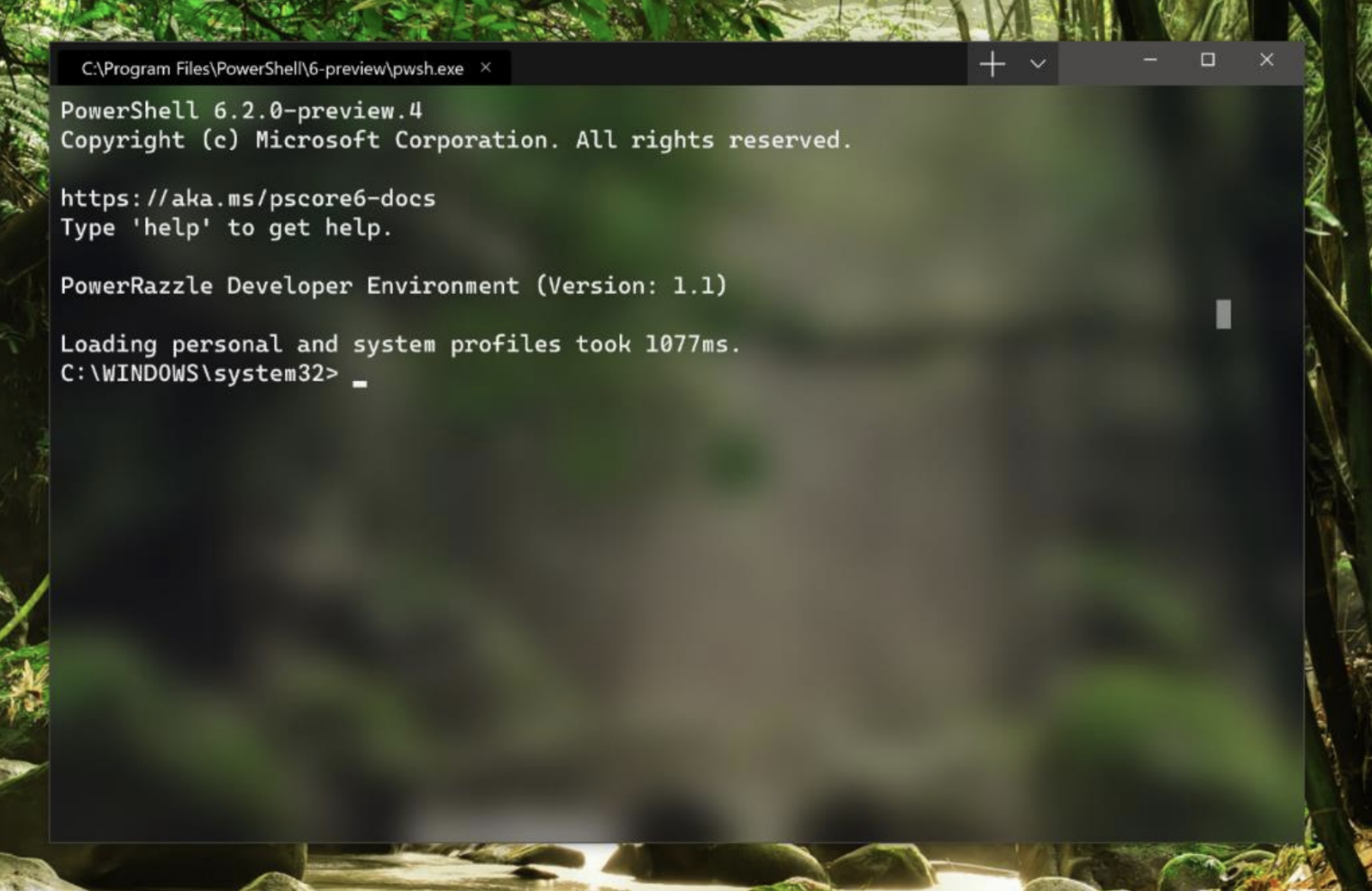

If I were an engineer in Apple's OSX group I would see this as the horde amassing an army on the border. Bit by bit, Microsoft is going down the checklist of why someone would use a Macbook pro rather than a Windows laptop for their daily driver and erasing the advantage (or at least mitigating it to the best of their ability).
This will never convert the die hard OSX fans to use Windows laptops, like the OSX features could never convince die hard Windows users to use Macbook Pros, but the real prize here is the large bulk of users who aren't die hard Apple or Windows fans and just want to get their job done on one laptop reliably.
Apple's latest earnings report re-iterates that they aren't investing in the Macbook Pro or OSX in any meaningful way. Microsoft's success with the Surface Pro series against the Macbook Pro has shown that good electrical engineering can be bought and if the software is good enough, it can remove the last objections to the Windows laptops.
I see Linux as a big loser here too as the opportunity for a Linux desktop, for the bulk of the users, recedes further into the distance with two capable, and supported, offerings from larger players to choose from.
I've got one of everything it seems, and I had a Macbook Pro as my daily driver starting at Google in 2006 through my exit from IBM at 2015. I bought a SurfaceBook when they announced them for the drawing experience and laptop that had more capability than my Macbook Pro. I then tag teamed between them until I got the Surface Pro 4 with the same drawing experience, but lighter than a Macbook Air and with WSL and a third party X server a decent Linux/UNIX like development environment.
I still haven't replaced my Macbook from 2015 with the various things that Apple has thrown out there, the keyboard issue, the track bar issue, the lack of drawing, the lack of any compelling reason to upgrade. I still use it for Xcode for the iPad app I am doing in my spare time but use it less and less.
The new terminal will make it easier to not use the Macbook. If Microsoft starts bundling an Xserver for the occasional windows app it would make it even easier to stay on their platform.
I can't tell if Apple sees this as a threat to their business, or just doesn't care anymore about that part of the business and so they are willing to cede it to Windows as the "portable" development environment supported by an enterprise vendor.