Call me cynical, but I think a lot of the small style keyboards I see around the office are more of a fashion trend than anything.
I remember when the insistence was on number pads, and how dare they be removed from our laptops and desktop keyboards.
Fast forward a few years and I was made fun of at a programming job for preferring a full keyboard with a number pads. I guess programmers are too cool to enter in dollar amounts into Excel.
Now the trend is for brightly multi-colored keys, which are often unlabeled [1], and basically an otherwise standard rectangular keyboard which has no obvious ergonomic benefit over a full 100+ key keyboard.
[1] This makes no sense because the colored keys imply you enjoy looking at your keys and their unlabeled nature implies that you don’t need to look at your keys while you type. i.e. a fashion trend.
Your mouse is closer so you don't have to move your hand as far.
Not if you use a mouse left-handed ;)
But more seriously, I grew up being trained to touch type in the classical way complete with ten-key exercises. I strongly prefer having a full numpad and I actually prefer the extra distance to the right for mouse usage. I've found over the years that the more I move my hands, the less likely I am to have discomfort.
Another option (the one I have at home) is Microsoft's current highest end gaming keyboard the Sidewinder X6 has a detachable numpad that you can move to either the left or right as you see fit (including on-the-fly; the connector is magnetically guided and swapping can be crazy quick).
Not hard to learn to use the mouse with your non-dominant hand. It's just a couple of days of practice. And then switch between your left and you right every other day. Don't even have to flip the buttons, just learn to use the index for secondary and middle for primary clicks.
I am right handed but use my mouse left handed because growing up my Dad always had the mouse on the left side of the keyboard (because he is lefty). I used to move it to the right side, but gave up because the way our desk was basically required you to rerun the cable.
My thinking was, hey if I can learn to fret my guitar chords with my left hand, than I can learn to use the mouse. I also hold the knife in my right and fork in my left.
> I also hold the knife in my right and fork in my left.
That's the usual way for Europeans.
I never realized Americans did it differently, until we gained an American colleague at lunchtimes, and ... well, it just looked a lot more complicated.
I didn't know there was a standard, but I have seen people do the switch before, and it looked inefficient.
I guess I am a reversed-European, despite being right-handed. Fork in right hand and knife in left hand.
It's always a bit awkward at first when taking up the cutlery because I have to switch at that time.
Funnily enough, there's also a standard when putting down cutlery on the plate, and I have remarks for this while never for the way I eat (they probably assume I am left handed).
I'm left handed but always used the mouse right handed, but my standing desk's keyboard tray flexes too much with the mouse on the far right. It was incredibly easy for me to switch my mouse to the left side, centering my keys to the middle of the tray eliminating flex and bounce. I still use the same mouse button orientation, I found that switching the buttons makes it incredibly difficult to shift back to right handed at home or in public.
I'm ambidextrous so it doesn't matter for me. But since I am, I tend to observe who is left and right handed around me since I'm pretty aware of ergonomic shifts between using either hand for certain activities.
Out of left-handed people, around 80% use the mouse exclusively with their right hand. In fact I can only think of one other than you that exclusively uses the mouse with their left (a bookkeeper a few doors down from my office).
Actually, a programmable keyboard is great for lefties, you can have a numpad on a layer on the left part of your keyboard. Ah, and move the WASD and gaming keys to the right of the keyboard without having to modify all the games each time you play.
But the best mouses are tailored for one hand, like the MX Master. I used to switch mouses when I used generic mice, but I'm never going back to those.
Oh wow I didn't know about the G903 (not sure how I missed that for almost 3 years), I think I should try it. Although my wrist does like the slight slant of the MX Master. I used to switch between hands 10+ years ago, but gave it up once I got better mice that didn't need me switching - but I had never found one that was ambidextrous.
at some point I went all in on having a fully functional setup that didn't need a mouse, I had a laptop with a broken track pad and it didn't bother me at all. Then my first kid was born and it was impossible to do things with one had while I held them with the other. Everything needed chords. the machine required two hands and no less to operate. It was only a week in before I ordered the part to fix the track pad. Now, all my machines can be operated with one or two hands (just like everyone else's)
"The best way to have a numpad if you really need one, I have found, is to have a separate one like how the Microsoft Sculpt keyboard does it. "
The way I do this, is by having an 'Ultimate Hacking Keyboard' (ugh I loathe that name, how can anyone take you serious with a name like that? but at least the product itself is the best there is available (at the moment)) and then have a numeric keypad in the middle (between the two halves). I got one off Ali Express with mechanical keys, it's backlit with obnoxious blue leds, but once you let that go - it's quite a good setup.
If you have a keyboard flashable with QMK you can make a key activate a layer that has a numpad on it. If you really like customizability and a split layout, a keyboard flashed with QMK is going to serve you much better, IMO.
I've had my eye on that one for a while. How do you like not having an escape or function keys? That's the biggest thing holding me back from getting it.
I just got an ergodox ez keyboard, it has all the features of the UHK diverging on modules (as the UHK only has one atm, they are on par / ergodox has more keys), a more versatile tenting kit, and an ortholinear layout.
I've changed from the default map and restored the esc key and it doubles as a vim like 'leave layer'. It feels very natural.
As for tilde, I dropped the caps lock key and moved tab downwards to place tilde under esc.
Another option is to layer the key (ie, you have a special modifier key that changes the keys) so mod+tilde = esc. I do this to map my square brackets onto one key.
Overall I'm very happy with it. I've had a steeper than expected learning curve because I used to type with an over dominant wasd centric left hand (FPS gaming), which will apply to some but not most people.
I've remapped the top left button to be escape in the normal mode ('layer' I think it's called in the UHK), I use shift to get the tilde, and I hardly ever use the backtick - I think I have it mapped somehow but not sure.
I've been a hardcore vim user for 20+ years and this is the least of all potential problems, so if this is what you're worried about, don't be.
Function keys - it took me a while to get the keycombos into my muscle memory, basically it takes the extra modifier that the UHK has to access them. What I used to use them most often for was in Visual Studio (start debugger, run, build, that sort of thing), but what I ended up doing was basically hard-coding all those commands into a custom 'layer' of the UHK, so that (even with standard key bindings in the software) I have more logical (less chording) keys to do all those things. The main advantage is that I no longer have to contort my hands to do things like shift ctrl f5. I haven't had to re-learn bindings or manually remap keys in software for years.
For things like 'rename' in explorer.exe (F2), so things that I do really a lot, it only took a couple of days of practice to get used to the extra modifier. I did spend the time to set up AutoHotKey to do some other types of global hotkeys (open keypass or other often used software, some accented characters, that sort of thing) but that wasn't too bad.
Still, if they'd make a version with an additional function key row, I'd buy it in a heartbeat; not having them I consider a trade off for all the other good stuff (split, solid build quality, printed caps, tiltable, mechanical keys)
In terms of build quality, I like it as much as the ErgodoxEZ; I hope they'll finally come through with the extensions (only 4 years delayed...) because the thing I miss most from the Ergodox are the thumb clusters. The wooden hand rests are getting stained after 2+ years of use, but for the rest they're nice. I had firmware problems at the very beginning but that seems to be OK now. I wasn't very impressed with the support I got with those issues, it was basically first 'try unplugging and plugging back in' and then 'it works for me'. But it got there in the end after a few new versions of the firmware. The 'use the keyboard as a mouse' is a gimmick, I don't understand why they make that a core selling point in the UHK marketing. All in all, it's the best keyboard I can find that still uses somewhat standard keycaps (my reason for never trying a keyboardio; I've tried many others apart from that one).
Your mouse sensitivity is too high. Competitive FPS gamers shift their keyboard well to the left and tilt it at an angle to provide enough room for an extra-large mouse pad.
Which means you don't have a good position when typing?
I bought a 40% split keyboard and had my mouse inbetween the halves and it relieved my joint pains. Now, I work on old mainframes and need up to function key F24, but otherwise the 40% works wonders with thumbs on modifier keys.
If you define "a good position" as "a comfortable position" then my typing position is fine for the work I do. I've tried various options, from the curvy Microsoft Natural keyboards to laptop keyboards to mini keyboards and I always come back to a standard mechanical 101-key keyboard with a G502 mouse. I think a split keyboard with the mouse in between the halves would do my head in.
Yeah. I wanted to get an ergodox for work since I ruined my shoulder and some joints being a croupier/dealer for a few years, but they were so expensive I decided to build a cheaper 40% one. If I hadn't had an issue with a normal keyboard I wouldn't have tried it but for software development I wouldn't go back after the switch.
At home I want a split big regular keyboard so that I can use all keys as normal for games, or probably a 60% split with a separate keypad since I can't type without hands starting to hurt.
> Which means you don't have a good position when typing?
Well, can't speak for OP, but personally I just slide the keyboard back over when I'm done gaming and going back to typing. I don't just leave my keyboard to my left relative to my sitting position.
I've watched first hand how much QWERTY-labeled keys with Colemak layout confuses people. Dvorak people usually figure out things are weird in one or two keys, but Colemak intentionally has enough coincidences with QWERTY that it can take people a while to figure it out depending on what they are trying to type, and the frustration is possibly more rewarding to watch as they try to get grips with how "broken" your keyboard must be.
Except I can type numbers a lot faster and more accurately with a numpad. Something I do regularly throughout my day. The enter key is also a quick thumb press with the mouse hand away when I'm using my left hand for commands. I almost never have to use the mouse while typing numbers. It makes sense to me to have a quick one handed way next to the mouse to type numbers. It feels a lot more ergonomic that way then using both my hands to type numbers spread out across a line at the top of the keyboard.
Just because that's how you type numbers doesn't mean it's good for you ergonomically. I switched to using the number line and I'm fine doing it now. It's actually sometimes faster because I have 8 fingers instead of 3/4, and the enter key falls under my pinky when my middle finger is on 9.
I meant more ergonomic for my workflow. Using the number line would mean I'm repeatedly moving my hand back and forth across the keyboard. That tires me out and strains my arm more than the way I do it now. Which as far as I know, I could be wrong, is what ergonomics are about, the most comfortable, efficient way for something to be.
The problem is that the numpad is at the wrong side. I have seen a "left-handed" keyboard before with the numpad on the left. I think it's actually more ergonomic for a right-handed person.
> No numpad is an ergonomic benefit. Your mouse is closer so you don't have to move your hand as far.
Or you know, you don't need to use a mouse at all when you are used to living with keyboard shortcuts and the right desktop environment that goes with it.
Bravo. Agreed. I've installed an actual set mouse trap where my mouse used to be. My hand has suffered but my clout in the open office is at an all time high.
Personally, I use the numpad to navigate source code and other text files. I very rarely use the mouse under those circumstances. So this very much depends on our personal style and use cases.
Yeah definitely somewhere where people should be allow a personal preference.
What does that numpad offer that is not already on the rest of the keyboard?
I think if you are comfortable touch typing numbers then there's not much advantage to having a number pad.
(I've worked from laptops (without numpad) connected to an external monitor for about 15 years now so I may be missing something potentially useful here.)
> What does that numpad offer that is not already on the rest of the keyboard
Navigation using one hand, allowing even different body positions. Those who don’t use it have to do Ctrl-this Shift-that. I press singe keys with a single hand allowing me to have less of constant strain in both hands than if they were always at effectively same position. Like some other posters here I believe “always everything in same position” during longer work times is worse.
During my work hours I spend more time navigating than typing, so that’s what I optimise for.
That's an interesting take on it. Thanks for sharing.
I mostly live in a terminal all day and most of that time is in Vim. So I have the whole keyboard to use as shortcuts for movement but I do have to use two hands. Like you I'm more geared up for navigating code.
For me small, light movements committed to muscle memory have been the key to me getting round RSI a couple of years ago. I also use the Colemak layout so there's no real point to looking at the keyboard for me.
If I’d have to use such programs I’d try the programmable numpads also mentioned here. Even in the middle of nineteen eighties I was able (to my luck) to use a programmable keyboard (independent of the computer and the OS).
I’m still not convinced that I’d give up a narrow central, symmetrical keyboard layout for a few extra keys I have to take my hands away from the home row to use.
Macros. Its a pretty fun exercise. I just started a few months ago. Still building muscle memory:
0 reruns test, . breaks test
1 opens inspector, 2 opens console, 3 opens network
5 refreshes browser (for some old stuff without livereload)
Originally it was for more general date entry type of work , eg a clerk entering data into a spreadsheet - spread sheets where a massive driver of PC sales origionaly.
Either your table is extremely narrow (like 50cm wide in total) or you will have empty space between keyboard and mouse anyway, even with numpad. At least I have and I find claim about "reducing hand travel time from mouse to kb will increase productivity" not very convincing.
But why is less movement automatically considered better? Screen work is sedentary enough even without movement-minimized input placement. The downsides of repetition are best battled by increasing variation.
Static arm rotated outwards. Dynamic movement would be great but the arm tends to get stuck out there for some time. Might apply more to photoshoppers and less to vim users though.
[a late answer, but now the threads is old enough to legitimately get lost on tangents]
Are you talking about a "full hand rest" mouse? Because there is no static load on the arm when operating a mouse that is hardly ever touched with more than fingertips, while the base of the hands is resting on the table.
> [1] This makes no sense because the colored keys imply you enjoy looking at your keys and their unlabeled nature implies that you don’t need to look at your keys while you type. i.e. a fashion trend.
But you could still enjoy looking at your keyboard with the coloured keys while not using it to type at that exact moment.
Exactly. Some of those colored unlabeled keyboards look stunning on the desk. Why should a keyboard be purely a utility and not part of the room design.
I own an unlabeled keyboard and I mildly regret it. I have no issues typing with it but I struggle with special keys like trying to find ^ or f5. Typing 2fa codes are a pain. If I was buying a new keyboard I would get a labeled one but with no numpad
Only if you can find them with the labeling like you have your keyboard set up. It's the reason I switched away from Ergodox. If only someone would offer high quality custom keycaps, with double or triple labeling, using actual double shot injection moulding - which of course is pretty much impossible... But I'd pay $200 for a high quality key cap set that I can customize, so that I could have a printed Ergodox keycap set that isn't hand-labeled.
Considering double-shot requires molds for every key, that would mean pretty much having a mold for every single key on every single profile. Perfectly possible, but that set would very likely cost more than the $200 you're saying you'd pay for it.
I considered that but I would also want to replace the outer shell of the keyboard since thats kinda crap as well and then all I am left with is a pcb and switches. I'd rather have a fully working keyboard I can give away or keep as a spare and get a new one which suits my needs since the cost will be pretty similar.
> Call me cynical, but I think a lot of the small style keyboards I see around the office are more of a fashion trend than anything.
I believe it part of the human ability to experiment, to optimize, to research, trying out something different, or perhaps more negatively to be discontent with current options you know and going for the mentioned solution.
It is a matter of optimization, and using the freedom you have to experiment. What you want to optimize for, depends on your concerns. Weight, size, ergonomics, aesthetics, modability.
For example, I like having Bluetooth on a device like a keyboard, but I also like the ability to turn it off, and barely use it. Because USB is usually good enough. I'm cool if this adds a little bit in size/weight. You might not be cool with that. Hence, we get choice.
> This makes no sense because the colored keys imply you enjoy looking at your keys and their unlabeled nature implies that you don’t need to look at your keys while you type. i.e. a fashion trend.
The purpose of showing the values is (initial) learning curve, and reminder.
Unlabeled has a different purpose: if you (sometimes) assign a different key layout, assign different keybinds which depends on factors (such as the language you type in, OS or program you use, or location you're at) then it is useful. Also, that part of the keyboard is not going to have worn use, and the resale value might be higher. On top of that, the designer does not have to cater to all kind of weird/different niche layouts.
I do agree I am not a big fan of colored LED keyboard, but it might look pretty if you assign it certain colours and have your computer idle.
> I like having Bluetooth on a device like a keyboard
How secure is that, really? I can easily imagine that it is very easy to sniff e.g. passwords from the Bluetooth connexion. But maybe they actually put in the hard work of getting encryption right.
> I guess programmers are too cool to enter in dollar amounts into Excel.
I use a 40% board and one of my layers brings up a numpad. I really just prefer typing on one of these boards much more than a traditional keyboard. It's more comfortable, more fun (because I can flash my own layout with QMK) and it served as a nice introduction to electronics and embedded programming. What's wrong with that?
I don't use a num pad since I switched my stacks to IPv6, but I do like having my mouse closer to the enter key. I use a 60%.
I also put my keyboard in my backpack 3/4 times a week and move to a hot desk on a different floor when I have some real work to get done.
It works for me, I spend most of my time in vim keybindings and have a layer for arrows if I need it. Even when I use my laptop keyboard, moving over to the arrows is annoying to me since I have to take my fingers off the home row.
It may be, that people who started with laptop keyboards instead of model M keyboards prefer what they are used to and what they learned on.
It's not a trend, it's a workflow. I touch type but I have keycaps with letters, I have a red escape key and a tux for the mod4, because I like the look. I hope I'm not going to hell for that.
Personally I prefer the numpad-less keyboards, I don't use number entry that much and the reduced space between keyboard and mouse (I'm not a keyboard / vim wizard) helps with comfort / RSI prevention. I use an Apple wireless keyboard.
That said, I would like something a bit more ergonomic or tactile, maybe, but all mechanical keyboards are at least 4x as tall as this one is - the flatness really helps prevent RSI in my case. I guess a wrist support would already go a long way, I prefer to keep my wrists on the table.
I seem to be something of an oddity, in that I prefer the numpad for gaming, treating the keys aroung the center "5" as left, right, up, down, jump and crouch. Everyone who sees this wonders why I don't use WASD - am I the only one?!
I have a num pad separate to my keyboard so I can move it around.
It also saves macros to keys, so I can hit a key and deploy my project. Also, cut, copy and paste are now one key press - take that RSI! Basically, anything that is uncomfortable for my hands to do, I macro and put on a key.
One day in the future I hope to turn up at 9am, click one key and my days work will play out as a sequence of macros as I drink cups of tea and earn the big bucks.
I'm optimistic about them (depending on what "small style keyboards" mean to you). I consider ergodox in this category, due to how it does ctrl/z, function keys and layers.
Ergodox-EZ is quite beautiful. The build quality on it is solid. It's heavy, for a keyboard. This is not a logitech or microsoft keyboard where they cynically use cheap materials.
But, there are these "small" hacks: It joins Z with the ctrl key. Z has to be hit twice to type Z. Sounds like the end of the world, right?
No function keys, a layer key has to be used to get to those. Took me a bit of time to find where F12 was to get to the boot loader :)
My anecdote: I am programming and typing efficiently with it (vim, tmux). And I'm hopping onto a laptop keyboard with normal keys and at 100% speed, maybe with the exception of alt-tabbing and accidentally minimizing all windows in Windows 10.
If you're interested in the Ergodox, I do recommend really spending some time with the configurator the first month and keep iterating and practicing with it. It starts out slow, but now I'm as fast, if not faster on it than my old layout. And I'm always able to add new features. Just reading this comment section, I realized I missed my ten-key, so I threw a new layer together on an unused key to get a ten-key setup.
One of the major things I've learned using it is to configure with mnemonics in mind. For my ten-key setup, I was tempted to put the 789 where 'yui' are, but I opted to put 789 over 'uio' because then I could remember that the ten-key's top row is down-shifted one from the number row, while still getting the top row of '/*-' in the correct position. I probably won't use a ton of the ten-key this week, but hopefully that mnemonic will help me from fumbling when I do have a use for it.
> But, there are these "small" hacks: It joins Z with the ctrl key. Z has to be hit twice to type Z. Sounds like the end of the world, right?
Then reconfigurate the layout. The greatest thing about such boards is the ability to programm them as you want. this is so great, it slowly starts leacking to other keyboards now.
I like the way z/ctrl works and got used to it. Same goes for / and ctrl on the right side. I meant it as an example of how ergodox squeezes more power into the keys.
I do use the configuration utility, for instance, to make it easier to do screenshots in Gnome. Also included in the configuration, there were firmware updates that fixed an issue where "a" would be repeated intermittently.
I use a redox wireless, the layouts in both the ergodox and the redox are completely customisable, CTRL is a separate key from the Z by default on mine for example.
I think this is sort of right, but I do think there is some value in key reduction for certain people. I switched to a 60% keyboard with roughly this [1] layout. The use of the modifier key lets me do almost everything I need to do without moving my hands around. Putting control where caps lock is was great for me because (a) I used caps lock rarely so I don't need it in such a primary position and (b) it let me stop reaching to the bottom corner with my pinky for control, which I use constantly. A keypad is probably advantageous in certain circumstances, but I had literally never used mine so I wasn't too concerned about losing that part.
My typing speed and accuracy went up (I measured that), and my hand fatigue was considerably less (that's subjective).
Then I acquired a configurable keyboard in a normal layout, just with no numberpad. But here is the thing: I don't use _any_ of the keys outside of the ones I had on my old keyboard. It's been years at this point and I don't think I will ever go back to using them. My next keyboard will definitely be another 60%.
A former coworker had a 60%, and an independent numberpad that he could use when needed, or slide out of the way for desktop real estate. That seems like a great setup to me.
I'm not sure I would recommend this to anyone, but I would encourage anyone to consider that a 60% (or perhaps less!) might be good for them. Also I would say that the adjustment period is _much_ faster than one might expect.
As for colored/blank keys, those are definitely purely aesthetic. Nothing wrong with making your things look nice!
Don't forget that we're not too far from our ancestors collecting shiny seashells and pearls. Most of humans decisions aren't made following pure reason and rational thinking. Fancy cars / sneakers / coffee machines / pocket knives / &c, people are collecting/buying all kind of "nice" things for the sake of it. Some people I know spend more on shoes than I spend on rent.
As I'm going to spend many hours every day on a computer, I sure want an aesthetic and ergonomic setup. I don't really consider buying tools I like a fashion statement.
I use the Microsoft Surface wireless keyboard (poorly named but its ergonomic) and the Logitech MX Trackball mouse. I had bought them both cause I had pain in my hands and once I made the switch to both its been very rare for me to have my hands hurt in that way since.
As a result I could care less what other devs think. As soon as I say I use a trackball I get poked at but I can move my mouse much faster and its been great for gaming as well.
Edit:
In case anybody is in a similar situation and is willing to try anything I'll post the amazon links I just got off Google here:
This is the keyboard, I believe I got mine at a BestBuy when it was slightly cheaper for a moment, it's normally like $120 or so, but totally worth it, I have one for work and one for home, one of which my wife bought me.
And this is the Logitech Ergo MX Trackball, it is the latest installment in a very small market, everyone who had a Trackball heard about it and we all talked about it, I ultimately bought two of them.
I use the heck out of my Trackball when gaming. I feel like aiming is easier in FPS games. My friend trusts me to shoot down helicopters or just snipe any NPC while playing Far Cry 5. I do wonder what I'd be like with a regular mouse as a comparison but I don't want to go back.
This is a real annoyance of mine. None of the real nice mechanical keyboards are available in a fullsize layout. A numpad is NOT negotiable for me...several creative apps I regularly use use the numpad for control (and no, the regular number row keys ARE NOT mapped to the same commands).
Buy a separate numpad and put it to the left of your keyboard. It provides a more ergonomic position for your mouse and allows you to use the numpad and the mouse simultaneously. Keeping the numpad on the right is a relic from the days before mice and is a huge ergonomic error.
Thats...not quite a meant by high end. I mean stuff like a bespoke PCB so you can change all the switches out, an aluminum case... one of those $500+ custom jobs that /r/mechanicalkeyboards likes to drool over.
Full size are rarer and more expensive. There might be some other options.
Honestly the GMMK full size is pretty nice and you can pick whatever switch you want. It doesn't have a custom case like the one I linked above, but its aluminum and you can customize everything else. Some people have even dissassembled the case and painted it.
I have no personal experience whatsoever with these, but the Corsair keyboards have a very bad reputation among mechanical keyboard enthusiasts. Allegedly the keycaps are made of low quality ABS plastic, and because some of the keys are non-standard size, you can’t easily find replacement keycaps.
Among mainstream brands, Ducky and CoolerMaster are supposed to be much better (I have no experience with these either).
I have a CoolerMaster Masterkey Pro L with Cherry MX Browns - Its a nice keyboard, well built and not too showy. I got it for the office and I didn't want something that was very 'gamer-ey'. Only criticism is that the Cherry Browns are nowehere near as nice as the Gateron Browns I have in another keyboard (although I suppose you can't put this on CM). Oh, and maybe the ABS keycaps, they aren't great and the PBT Keycap 'upgrade kit' that CM sell isn't really a direct replacement. I'll probably pick up a separate PBT Double-shot set, but that's optional. I have recommended the CM Masterkeys Pro L to a bunch of people. I had a Corsair K70 (trampstamp edition) a few years ago, and the quality was good but the non-standard bottom row got on my nerves because it severely limited keycap replacement options.
Ducky One 2 user here: it is fantastic for the price. The aluminium case is solid, heavy and beautifully shaped and coated. Switches are perfect to me. Stock keycaps are very good though maybe not the best.
I like it so much I'm using it with both my computers with keyboard/mouse sharing software.
> Now the trend is for brightly multi-colored keys, which are often unlabeled
A close look will show you that people rarely go for unlabeled keys, nicely shaped keycaps with high-quality labels(double-shot) are the preferred thing right now. Like the very expensive SA keycap sets.
40% is a little bit too small for me, but I used a 60% at my last job as a second keyboard - I had multiple machines at my desk that I wanted to use at the same time and didn't want to give up so much desk space for the lesser used one.
I have zero use for the number pad, but looking at this reminds me of how much I'd appreciate having more of the symbolic ascii characters directly available.
Most of them would be of little value to the average end user, but I can't imagine that something like the article's charm table wouldn't be of use to developers - and the people that define the languages they use.
Completely tangentially, I think all keyboard caps should come with braille bumps by default, it would make learning to type easier and come with the added benefit of learning braille by osmosis (which I've always thought would be a bad-ass way to deliver a speech).
It's not really about OCD but about physical strain. I like desktop keyboards with numpads, but for a few months I had to use a laptop with a numpad.... and it's horrible from ergonomics viewpoint, as either I'm sitting to the side of my screen leaning asymmetrically to the right or I have the screen in the proper position for my neck but my hands are curled in an inappropriate position towards the left.
It's not a big thing, but doing so for (say) 10 hours every day adds up and screws up my back. If a keyboard has a numpad, then it must be "movable" separately from the screen.
I use HHKB everyday. Small keyboard is not fashion only, it also means less movement.
And also if I have to work on windows I my right hand is closer to the mouse.
I always find for full keyboard if I try to align G and H key to the center of my monitor, the numpad and mouse are too far and some desk don't have such a big space. But if I don't it's make my spine hurts, and I don't think it's good for anyone.
> [1] This makes no sense because the colored keys imply you enjoy looking at your keys
I completely agree with you here. I've been using a Das Keyboard S for years and at this point I tend to forget it's even there except as a keyboard-shaped lump on my desk. It's only when someone else tries to use my computer and stops with a blank stare that I remember that most keyboards have labels on them. :P
1) engaged. I type with my fingers on the home row. This is for when I'm actively involved and typing / editing.
2) casual. For navigating. I usually do it with my fingers on the arrow keys, sometimes hitting page up/down. I don't use my other hand. My typing will not be used for input. Sometimes I use the mouse / mousewheel.
I thought the same thing, but I tried a split 40% layout and am typing on one now. It excels when there are long sequences of numbers and symbols, which are now within easier research. Pinkies are weakest, and on a typical keyboard there's about 14 keys assigned to the right pinky. I'm left-handed as well, and this layout allows me to put BOTH my thumbs to greater use and shift more work away from my pinkies and towards my left hand. In my typing pre-test on my old keyboard I typed about 65 wpm. Now for standard text it's closer to 70.
I was concerned that typing code might be slower, so I used the "custom text" feature on keyhero.com to practice typing JavaScript code. While I didn't pre-test typing code, I often type it around 50 wpm, which seems fine-- coding is often more thinking than typing.
I'm using an Ergodox EZ which has 75 keys, but I'm experimenting with this 42 key layout. So far, I prefer it. (I also receive no "fashion" benefit from trying this, as all 75 keys would appear to be in use to co-workers!)
I thought the same as you until I used a planck[1].
I thought not having direct access to numbers or symbols would be a pain, but it really wasn't. The typing experience was comfortable and my wpm went up. I would say I still prefer something in the 60% range (HHKB) layout, ideally with dedicated arrow keys.
I've got a 40% but it's a split keyboard and so it's a bit of a hassle to transport. But the Planck would let me use the exact same layout and is still ortho, so I'm thinking about getting it as a secondary.
I'd like a planck with smaller keys / tighter key spacing (85% to 90% of standard) and two keys in place of one big space bar. Maybe splittable at the center, still with possibility to stick the halves together for transport.
> This makes no sense because the colored keys imply you enjoy looking at your keys and their unlabeled nature implies that you don’t need to look at your keys while you type. i.e. a fashion trend.
That's not how aesthetics work. I mean, you are more then welcome to dislike blank caps, but it makes perfect sense.
Custom mechanical keyboards are expensive, I would wager the fanaticism is due in part to owners defending their investment. The popularity of reduced keyset mechanical keyboards is, in my opinion, primarily about lowering the BOM cost.
That being said, I'm typing this out on a Logitech K380 which is a 60% keyboard and it's fine. It's Bluetooth and can pair to 3 devices simultaneously, which is literally the only reason I'm using it.
I can never seem to find a keyboard that meets all my needs. Given the popularity of mechanical keyboards, the variety of connectivity options out there, the myriad of keyboard layouts that exist; I think there's a business opportunity for someone to make a modular system of interchangeable connectivity modules and keyboards.
>I remember when the insistence was on number pads, and how dare they be removed from our laptops and desktop keyboards.
I remember when laptops didn't typically have number pads. I rue the day when almost everyone started putting them on laptops larger than 14". I feel "off center" with them on a laptop. With a desktop keyboard, I just shift the keyboard to the right a bit so the traditional keys are centered and the number keypad is off to the right.
16:9 ratio is another bugger for me. Between 16:9 and number pads on laptops, I'm an odd man out. It's tough when my preferences aren't mainstream. I'm also a lefty, so there's that.
>16:9 ratio is another bugger for me. Between 16:9 and number pads on laptops, I'm an odd man out. It's tough when my preferences aren't mainstream.
No number pads on laptops IS the mainstream. Almost no laptops have number pads; the only ones that do are huge ones, which are really "mobile workstations". Those aren't "mainstream" in any way at all. 13-14" laptops are mainstream these days, and none of those have number pads.
Exactly. But then you're claiming that numberic keypads are "mainstream" on laptops. They're not. Only really exceptional laptops have them. The vast, vast majority do not, and I'm pretty sure that includes everything from Apple.
I participated in two "Drop"s for the XMIT keyboards. First time I got the 60%. I love it, it's hooked up to a Raspberry Pi that I run as a terminal. Then I bought the 120-key Sun layout, oh man it's big! I never use the numpad or the extra function keys on the left. Having arrow keys is nice I guess.
Numpad is weird. I'm a leftie, my previous keyboard was a Microsoft Sculpt, I loved that because I could put the wireless numpad on the left(or lose it entirely).
I think as long as the shift key is the right size, I'm looking at you Logitech K400, and the arrow keys are ⊥, most keyboards are acceptable.
The smallest I can go is a "65%" essentially the main keyboard area with an extra right column that generally houses pageup/down ins/del. The extra column allows for a full inverted t arrow cluster.
Maybe it's because I learned to type on keyboards with a num pad, but I love it for numeric entry - you can enter a bunch of numbers without the need to move your hand, just moving your fingers - with practice, you can get really fast.
Without a doubt, half the reason I use a 40% keyboard is how it looks. I feel that the ergonomics argument is not fully thought out, as holding down a modifier to access other layers can actually reduce ergonomics if you haven't set up your keymaps properly (e.g. to access number keys you must hold down a modifier with the same hand that you need to type the numbers with - potentially un-ergonomic).
This is what I believe as well. I prefer no numpad- there is a number row afterall. I will not give up anything else though. I see so many of these keyboards with no function keys or even a number row. It's all hidden behind some mode toggle. It's for the birds.
They do look nice but they seem to cross my personal boundary into being less pragmatic as a result.
I use an 80% keyboard (TKL) for gaming, but a full-sized keyboard for work/normal typing. The TKL keyboard lets me have it positioned a lot closer to my mouse, which allows for a more ergonomic posture for long gaming sessions. I could never give up the ten key for numeric input though - it's just too convenient and quick.
I think full size keyboards look ugly and take up too much desk space. That's just my personal opinion. I don't like how there's almost an inch of plastic along the borders of the keyboard that take up desk space while providing no purpose. Imagine a monitor with an inch of bevel around the edges, it'd be unsightly.
My understanding is that it's not a fashion thing, but to make it easier to alternate the right hand between the keyboard and the mouse.
I prefer a full keyboard myself and view every single incident where I have to use the mouse as a UI design failure, so can't confirm. But it seems to make sense.
In my case I do really enjoy typing with the 40%, I like the size and the feel of the keys. I only use it at home though, I'm not interested showing off or looking trendy. My hand movement is very minimal and it's a million times better than my macbook keyboard.
Numpads are a real annoyance on laptops. Due to the numpad the the main keyboard and the touchpad are not centered to the screen, which is totally awkward. It would be great if laptop makers would offer an option without a touchpad. Apple is doing it the right way.
I mostly use the num pad for custom key combinations as those are usually not occupied by some system built-ins. It's pretty handy, but obviously falls short if you have to switch to laptop keyboards often.
> I remember when the insistence was on number pads
I don't know if they are still a thing, but you even used to be able to buy separate numeric keypads! PS2 back when, but presumably USB now, if they still exist.
This is a case where you can have your cake and it eat it too. Simply get a TKL keyboard and a detached numpad. This way you can place the numpad on the left of the kbd or right of the mouse
As someone who uses a 4x12 key grid keyboard, I disagree with the assertion that there is no ergonomic benefit.
The benefits are twofold, in my experience:
1. On the subject of a reduced number of keys
Every key is within 1 unit distance (ok, root(2) units for diagonals) of the home row. I no longer have any cause to remove my fingers from the homed position while I type. Ever.
Using (the usually criminally underused) thumbs to switch layers is great. Depress one thumb, and the numbers are now on the home row - no stretching or moving. The symbols which are usually shifted numbers are now on the top row with no need for shift. Depress the other thumb, and the cursors appear in the usual vim locations, with PgUp/Down and Home/End on the row above and special single-key Ctrl-Left/Right on the row below for by-word movement.
2. On the subject of grid layouts
I personally find the grid layout to be extremely ergonomic. There is no ergonomic intent in the staggered layout, and standard touch typing form requires a lot of bending fingers underneath or around each other.
Using a grid layout matches the mechanics of my fingers much more closely.
There are also a few keys near the middle of the board (B, Y) where it's not even clear in a staggered layout which finger is the natural one to use.
I started typing at the age of 6, hunting and pecking. That was 30 years ago.
Over the years I developed a relatively quick form of 4 finger per-hand typing, but with no proper homing - I could perform fairly long runs of typing uninterrupted based on knowing the keyboard inside out, but my hands would move all over, and I would have to look down frequently, especially after any pause, to find the first key I was going to use next (I could then proceed for a few words working entirely relatively from there).
I made several attempts to learn proper touch typing over the years, but it never went anywhere.
About 2 years ago, I got a Planck clone because it seemed like a fun idea. Within two weeks, and without any drills of training, I was typing entirely without looking at the keyboard.
It's obvious and natural which key maps to which finger.
In summary, the combination of no movement of the hands, and the grid layout (which actually is more ergonomic than staggered - no finger curling!) made typing significantly more intuitive. Especially as a programmer, for whom the symbols scattered around the right hand side, all intended to be operated with my weakest finger (I'm left handed) as an essential part of text input.
I'm still not a particularly fast typist, I never have been. But I find my built in laptop keyboards frustrating now and have no intention of going back. Small and stationary is beautiful, for me!
>... I disagree with the assertion that there is no ergonomic benefit.
>... I no longer have any cause to remove my fingers from the homed position while I type. Ever.
Any time a QWERTY user says anything about "ergonomics" and "the home row", I know they don't know what they're talking about. The home row is utterly useless on QWERTY because you rarely use any of those keys; I never keep my fingers on the home row with that keyboard layout, because it's just a waste of motion, and results in more finger strain (try typing "minimum" with your fingers on the home row). I end up just hovering my hands over the keyboard. With a Dvorak layout, however, the home row is actually useful, and it's actually useful to keep your fingers there.
Any talk about "ergonomics" with QWERTY keyboards is a total waste of time IMO. If you're worried about ergonomics, you wouldn't be using QWERTY, a keyboard layout that was specifically designed to be as un-ergonomic as possible.


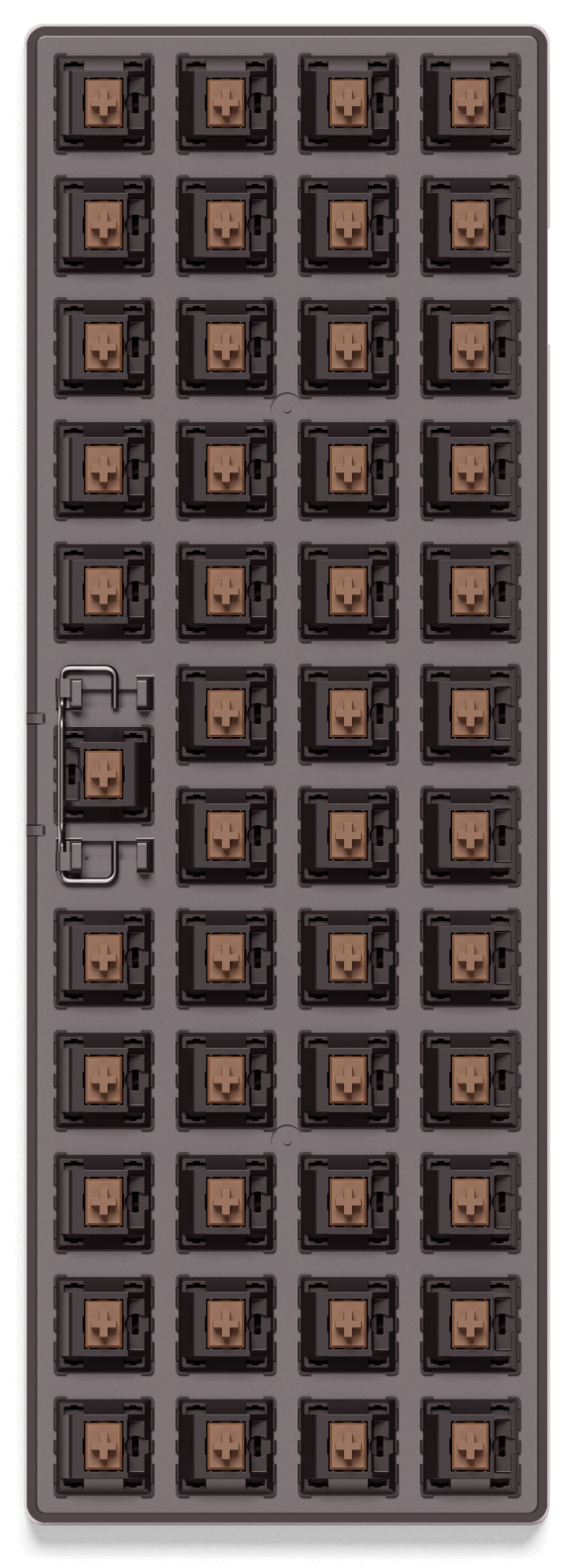

I remember when the insistence was on number pads, and how dare they be removed from our laptops and desktop keyboards.
Fast forward a few years and I was made fun of at a programming job for preferring a full keyboard with a number pads. I guess programmers are too cool to enter in dollar amounts into Excel.
Now the trend is for brightly multi-colored keys, which are often unlabeled [1], and basically an otherwise standard rectangular keyboard which has no obvious ergonomic benefit over a full 100+ key keyboard.
[1] This makes no sense because the colored keys imply you enjoy looking at your keys and their unlabeled nature implies that you don’t need to look at your keys while you type. i.e. a fashion trend.